Over the years of building and scaling online storefronts, I’ve seen so many store owners fall into the exact same trap: installing 20 flashy apps, slowing their site to a crawl, and getting hit with massive monthly software bills. But here’s the honest truth you don’t need a huge budget to run a profitable Shopify store in 2026.
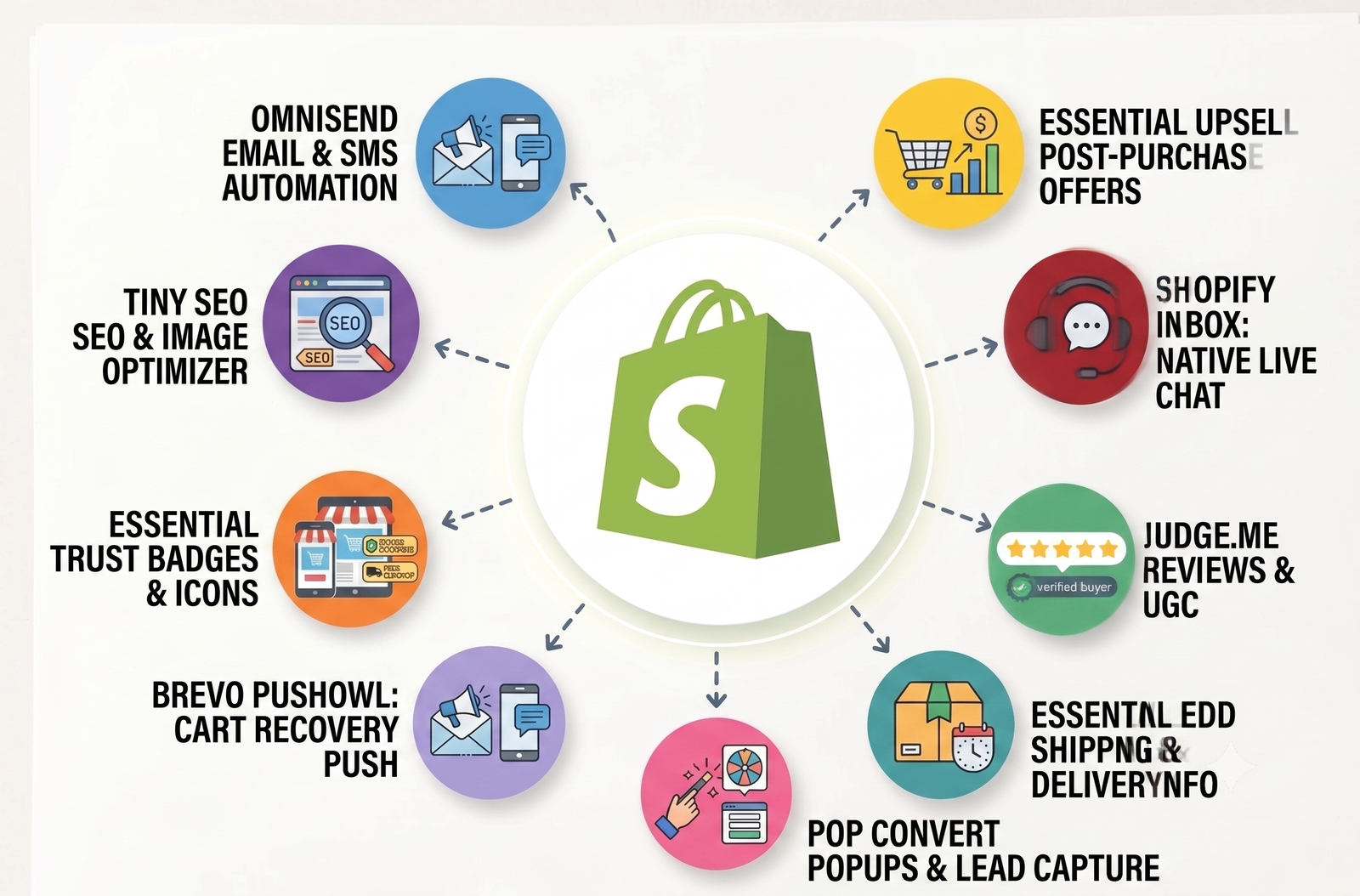
To save you from wasting time and money, I personally handpicked and tested 9 of the best free Shopify apps available today. Whether you want to boost your Average Order Value (AOV), recover lost carts on autopilot, or set up instant live chat, every tool on this list comes with a 100% permanent free plan no forced upgrades or hidden tricks.
I won’t waste your time with fluff or fake promises. Below is my complete 2026 breakdown including exact free-tier limits, honest pros and cons, and setup complexity ratings so you can pick the right stack and focus on making sales!
1 – Judge.me Product Reviews App
Judge.me is the leading review collection app for Shopify stores, designed to automatically capture buyer reviews, star ratings, and photo UGC.
| App Category | Product Reviews & Social Proof |
| Shopify App Store rating | ⭐ 5.0 / 5 |
| Number of Shopify App Store reviews | 42,320 reviews |
| App category / main purpose | Full-featured product & store review collection, UGC, SEO rich snippets, and social syndication — flat pricing for all store sizes |
| Best for | Almost every store — from brand new to Shopify Plus — that wants unlimited reviews at the lowest possible cost with the most integrations |
| Free plan availability | ✅ Yes — “Forever Free” plan (permanent, not a trial) |
| Verified free-plan features | Boost your reviews and SEO visibility with in-email forms, 160+ integrations, and the latest 2026 AI features. Enjoy flat, predictable pricing that never scales with your orders, backed by lightning-fast 24/7 support. |
| Main free-plan limits | “Powered by Judge.me” branding badge visible on widgets · No Q&A widget · No product grouping (requires Awesome plan) · No AI summaries, translations, or replies · No Google Shopping syndication · No coupons or referrals · No advanced CSS control |
| Paid plan starting price | $15/month (Awesome plan — flat price, unlimited orders, no volume tiers) |
| Main strengths from user reviews | 24/7 support, in-email review forms, flat pricing, 160+ integrations, Google Shopping & SEO snippets, plus new 2026 features like AI summaries and Mailchimp integration. |
| Recurring complaints or limitations | Basic widget design, branded free plan, premium features locked behind paid plans, and a slightly complex UI for beginners. |
| Ease of setup | ⭐ Very easy — guided onboarding, installs in minutes, works out of the box with OS 2.0 themes |
| Suitable for beginners? | ✅ Yes — best-in-class beginner experience; free plan is genuinely usable long-term |
| Suitable for growing stores? | ✅ Yes — flat $15/month regardless of order volume makes it uniquely cost-effective at scale |
| Try This App | http://apps.shopify.com/judgeme |
2.Tiny SEO Speed Image Optimizer
Tiny SEO Speed Image Optimizer (TinyIMG) automatically compresses product images, converts files to WebP, and handles technical SEO.
It speeds up your store’s mobile load time and boosts Google search rankings without requiring any coding.
| App Category | SEO & Image Optimization |
| Shopify App Store rating | ⭐5.0 / 5 |
| Number of Shopify App Store reviews | 2,239 reviews |
| App category / main purpose | Image compression + SEO metadata + page speed in one app |
| Best for | Stores that want image compression AND SEO metadata at the lowest price point |
| Free plan availability | ✅Yes (“Free to install”) |
| Verified free-plan features | 50 image optimizations/month · ALT text & filename optimization · Instant speed-up · 30-day image backup · PageFly compatibility · 24/7 support |
| Main free-plan limits | Only 50 image optimizations/month (extra: $0.03/image) · No lazy loading · No JSON-LD · No broken link redirect · No AI metadata |
| Paid plan starting price | $14/month (Beginner — 1,500 image optimizations/month) |
| Main strengths from user reviews | Exceptionally responsive support team (named agents praised repeatedly) · Easy setup · Covers image compression + alt text + speed in one tool · Affordable paid tiers · High reliability |
| Recurring complaints or limitations | Feature list can feel overwhelming to total beginners · 50 images/month on free plan runs out quickly for larger catalogs |
| Ease of setup | ⭐ Very easy — one-click optimizations, minimal configuration needed |
| Suitable for beginners? | ✅ Yes — highly beginner-friendly |
| Suitable for growing stores? | ✅ Yes — scales well; $14–$23/month tiers cover most mid-size catalogs |
| Try This App | apps.shopify.com/smart-image-optimizer |
3.Omnisend Email Marketing & SMS
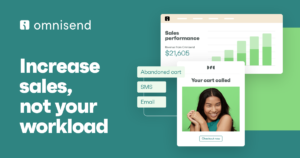
Omnisend Email Marketing & SMS automates customer retention through pre-built email flows, SMS campaigns, and lead capture popups. It allows Shopify stores to recover abandoned carts and drive repeat sales without needing complex marketing setups.
| App Category | Email Marketing & Automation |
| Shopify App Store rating | ⭐ 4.8 / 5 |
| Number of Shopify App Store reviews | 2,934 reviews |
| App category / main purpose | Email + SMS + push notifications for e-commerce |
| Best for | Beginners and growing stores wanting an all-in-one marketing tool |
| Free plan availability | ✅ Yes — permanent free plan |
| Verified free-plan features | Up to 500 emails/month · 250 contacts · Signup forms · Pre-built automations · SMS credits included |
| Main free-plan limits | Omnisend branding on emails · Limited contacts |
| Paid plan starting price | ~$16/month (scales by contact count) |
| Main strengths from user reviews | Easy setup · Ready-made templates · Multi-channel (email + SMS + push) · Strong Shopify integration · Beginner-friendly |
| Recurring complaints or limitations | Pricing jumps quickly as list grows · SMS costs add up |
| Ease of setup | ⭐⭐⭐ Very easy |
| Suitable for beginners? | ✅ Yes — widely considered the most beginner-friendly full-featured option |
| Suitable for growing stores? | ✅ Yes — Standard ($16/month) and Pro ($59/month) tiers scale well |
| Official Shopify App Store link | apps.shopify.com/omnisend |
4.Shopify Inbox
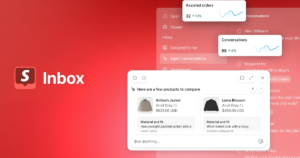
Shopify Inbox is a 100% free, native live chat app powered by AI that connects directly to your store’s product catalog and customer order history. It lets you automate FAQs, send real-time order updates, and share product recommendations instantly without any monthly app fees.
| App Category | Live Chat & Customer Support |
| Shopify App Store rating | ⭐ 4.6 / 5 |
| Number of Shopify App Store reviews | 5,477 reviews |
| App category / main purpose | Native AI-powered live chat — connects directly to Shopify catalog, policies & customer history |
| Best for | Beginners & small stores wanting zero-cost, native live chat |
| Free plan availability | ✅ Yes — 100% free forever. No paid plans exist |
| Verified free-plan features | Unlimited AI chat · Product & order info · FAQs & quick replies · 20+ languages · Analytics · Discounts & recommendations · Business hours · Welcome messages |
| Main free-plan limits | Limited widget customization · Personalization requires Shop account sign-in |
| Paid plan starting price | No paid plans — always free |
| Main strengths from user reviews | One-click setup · Native Shopify AI · Zero cost & zero maintenance · Real-time order data in chat · Praised for reliability |
| Recurring complaints or limitations | Limited widget design options · Personalization needs Shop sign-in · No complex helpdesk or multi-channel support |
| Ease of setup | ⭐⭐⭐ Extremely easy — built into Shopify |
| Suitable for beginners? | ✅ Absolutely — easiest option on the platform |
| Suitable for growing stores? | ✅ Yes — scales freely at zero cost |
| Try this app | https://apps.shopify.com/inbox |
5.Essential Upsell & Cross Sell
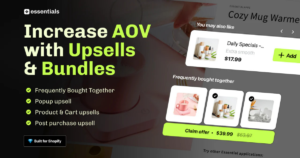
Essential Upsell & Cross Sell boosts Average Order Value (AOV) using one-click product bundles and post-purchase offers. Its simple free plan lets new stores drive extra revenue with zero risk.
| App Category | Upsell & Cross-Sell |
| Shopify App Store rating | ⭐ 5.0 / 5 |
| Number of Shopify App Store reviews | 2,197 reviews |
| App category / main purpose | One-click upsell & cross-sell — frequently bought together, product add-ons, post-purchase & cart upsells |
| Best for | Beginners and small stores that want a clean, easy upsell setup with the fewest moving parts |
| Free plan availability | ✅ Yes — permanent free plan |
| Verified free-plan features | Product page upsell offers · Post-purchase upsell offers · Analytics · Translations · Up to $100 additional revenue generated |
| Main free-plan limits | Revenue cap: app stops showing offers after $100 in additional revenue generated per month · No cart page upsells (requires Essential plan at $19.99/month) |
| Paid plan starting price | $9.99/month (Starter — up to $500 additional revenue/month, product page + post-purchase offers) |
| Main strengths from user reviews | Extremely easy setup · Named support agents praised repeatedly (fast responses) · Works well across themes · Clean, modern widget design · Reliable performance |
| Recurring complaints or limitations | Revenue cap on free plan hits fast for active stores · Cart page upsells require $19.99/month plan · App launched in 2024 — shorter track record than older apps |
| Ease of setup | ⭐⭐⭐ Extremely easy — quick install, few clicks to first live offer |
| Suitable for beginners? | ✅ Absolutely — the simplest upsell setup on the App Store |
| Suitable for growing stores? | ✅ Yes — $9.99–$39.99/month tiers scale well |
| Try this app | https://apps.shopify.com/essential-post-purchase-upsell |
6.Essential Trust Badges & Icons
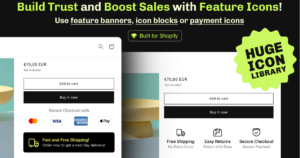
Essential Trust Badges & Icons displays clean payment logos, security seals, and shipping badges across your store to build instant buyer trust. It is a lightweight, zero-bloat app that installs in seconds with a permanent free plan.
| App Category | Trust Badges & Store Trust |
| Shopify App Store rating | ⭐ 5.0 / 5 |
| Number of Shopify App Store reviews | 1,020 reviews |
| App category / main purpose | Lightweight trust badges, feature icons, labels & banners for product, cart & checkout pages |
| Best for | Stores wanting a fast, clean, zero-bloat badge solution that works out of the box |
| Free plan availability | ✅ Yes — permanent free plan |
| Verified free-plan features | Core trust badges & icons · Feature banners · Security, payment & shipping badges · Compatible with Shopify 2.0 themes |
| Main free-plan limits | Higher tiers add more icon sets & banners — Only Up to 5000 monthly views – One product page banner or 3 icon block |
| Paid plan starting price | $6.99/ month – Up to 20,000 monthly views & $9.99/ month – Up to 50,000 monthly views |
| Main strengths from user reviews | Fast load time · Clean minimal design · Works immediately after install · No upsell pressure · Strong 5.0 rating across 1,000+ reviews |
| Recurring complaints or limitations | Badge library slightly smaller than all-in-one apps · Limited analytics · Customization lighter than paid-first apps |
| Ease of setup | ⭐⭐⭐ Extremely easy — works right after install |
| Suitable for beginners? | ✅ Absolutely — set it and forget it |
| Suitable for growing stores? | ✅ Yes — lightweight, won’t slow your store as you scale |
| Try this app | https://apps.shopify.com/essential-icon-badge-banners |
7.Brevo PushOwl Web Push

PushOwl Web Push recovers abandoned carts by sending direct browser notifications to visitors without requiring an email address. Its permanent free plan and one-click subscriber opt-in make it an effortless way to re-engage anonymous store traffic.
| App Category | Abandoned Cart Recovery |
| Shopify App Store rating | ⭐ 4.8 / 5 |
| Number of Shopify App Store reviews | 2,013+ reviews |
| App category / main purpose | Dedicated web push notification app — recovers carts via browser alerts without needing an email address |
| Best for | Stores that want to recover carts from visitors who never gave their email — push notifications only, no inbox required |
| Free plan availability | ✅ Yes — permanent free plan |
| Verified free-plan features | Up to 500 web push notifications/month · Abandoned cart automation · Campaign creator · Subscriber analytics |
| Main free-plan limits | 500 pushes/month limit · Advanced features (smart delivery, A/B testing) locked to paid plans |
| Paid plan starting price | $19/month (Plus — unlimited subscribers, smart delivery, A/B testing) |
| Main strengths from user reviews | Reach anonymous visitors with no email captured · One-click opt-in (no form needed) · Works on mobile & desktop · Very easy setup · Rich notifications with product images |
| Recurring complaints or limitations | Push notification reach limited by browser opt-in rates · No email or SMS channel (push only) · Less effective on iOS Safari (browser restrictions) · Can’t recover carts from users who declined push permission |
| Ease of setup | ⭐⭐⭐ Very easy — one of the fastest setups on the App Store |
| Suitable for beginners? | ✅ Absolutely — minimal setup, works immediately after install |
| Suitable for growing stores? | ✅ Yes — pairs well with an email tool for multi-channel recovery |
| Try this app | https://apps.shopify.com/pushowl |
8.Pop Convert: Pop Ups & Banners
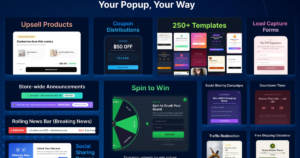
Pop Convert lets you easily build email capture popups, announcement bars, and spin wheels using a fast, code-free drag-and-drop editor. Its permanent free plan makes it a beginner-friendly way for new stores to capture leads and boost conversion rates.
| App Category | Popups, Spin Wheel & Lead Capture |
| Shopify App Store rating | ⭐ 4.9 / 5 |
| Number of Shopify App Store reviews | 8,575+ reviews |
| App category / main purpose | All-in-one popup, banner & smart bar app for email/SMS lead capture, announcements, and cart recovery |
| Best for | Stores wanting a full-featured popup suite — email capture, announcements, banners, exit intent, spin wheel, and A/B testing all in one |
| Free plan availability | ✅ Yes — permanent free plan |
| Verified free-plan features | Up to 1,000 unique visitors/month · 50 subscribers/month · Popups · Smart bars · Shopify integration |
| Main free-plan limits | 1,000 visitor/month cap — modest for stores with decent traffic · 50 subscriber limit per month |
| Paid plan starting price | $15/month (Unlimited — covers unlimited visitors, popups, banners, emails, and social proof; scales by Shopify plan) |
| Main strengths from user reviews | Lightning-fast load (<50ms) · 250+ templates · Easy drag-and-drop editor · 24/7 live chat support with under 2 min response time · A/B testing · Geolocation targeting · 95% of reviews are 5-star |
| Recurring complaints or limitations | Free plan is capped at 1,000 visitors/month — outgrown quickly · Some users report pop-ups occasionally failing to display · Pricing changed without clear notice for some users |
| Ease of setup | ⭐⭐⭐ Very easy — intuitive drag-and-drop, no code needed |
| Suitable for beginners? | ✅ Absolutely — one of the most beginner-friendly popup apps on Shopify |
| Suitable for growing stores? | ✅ Yes — paid plan scales across Basic, Grow, Advanced, and Plus Shopify plans |
| Try this app | https://apps.shopify.com/pop-convert |
9.Essent Estimated Delivery Date
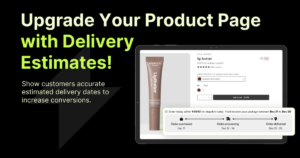
Essential Estimated Delivery Date displays dynamic delivery dates, processing times, and countdown timers on your product pages to cut down customer inquiries. It is a completely free tool that builds buyer confidence and reduces pre-purchase delivery doubts effortlessly.
| App Category | Shipping & Delivery Info |
| Shopify App Store rating | ⭐ 5.0 / 5 |
| Number of Shopify App Store reviews | 859+ reviews |
| App category / main purpose | Shipping & delivery info — displays estimated delivery dates, processing time, and delivery timers directly on product pages |
| Best for | Any Shopify store that wants to reduce “where’s my order?” questions by showing clear delivery timelines before purchase |
| Free plan availability | ✅ Yes — completely free (no paid plan) |
| Verified free-plan features | Unlimited products · Estimated delivery date widget · Processing time · Delivery timer · Countdown timer · Customizable display · Works on product pages, cart, and checkout |
| Main free-plan limits | No paid plan exists — all features are free · Currently no major limitations reported by users |
| Paid plan starting price | Free — no paid plan |
| Main strengths from user reviews | Completely free with no catch · Incredibly easy setup · Clean, professional widget design · Customizable by product · Reduces customer support tickets · Fast and responsive support team · 98% of reviews are 5-star. |
| Recurring complaints or limitations | App launched June 2025 — relatively new (less long-term track record) · No complex zip-code or carrier-based rules on the free version · Widget duplication not yet available (requested by users) |
| Ease of setup | ⭐⭐⭐ Very easy — live in minutes, no coding |
| Suitable for beginners? | ✅ Absolutely — one of the easiest setups on the App Store |
| Suitable for growing stores? | ✅ Yes — works for any store size at zero cost |
| Try this app | https://apps.shopify.com/essential-estimated-delivery |
The 20-App Trap: How Much is Too Much?
Imagine this: You find a cool popup app, a flashy countdown timer, a floating sales ticker, and a spin wheel. Before you know it, you’ve installed 20 different apps on your Shopify store.
Then, you open your site on your phone… and wait. 1 second, 3 seconds, 6 seconds… It’s still loading!
Most shoppers won’t wait. They tap the back button, and you lose the sale.
Installing too many apps is like putting 50 heavy stickers on a race car, it slows everything down. As a sweet spot, keep your store between 8 to 12 essential apps.
Simple rules to protect your store speed:
-
Test before and after: Check your site speed on your phone right after installing a new app. If it feels laggy, remove it.
-
Pick all-in-one tools: Instead of getting three separate apps for popups, banners, and lead forms, pick one solid tool like Pop Convert that handles all three.
-
Delete clean: When you uninstall an app, make sure to turn off its features in your theme settings so old code isn’t left behind.
Frequently Asked Questions (FAQs)
1.Will free apps slow down my store?
Every app adds a tiny bit of weight to your site. However, modern free apps (like Judge.me or Tiny SEO) are built lightweight, so installing 8 to 10 good apps won’t hurt your speed.
2.If I just launched my store today, which 3 apps should I pick first?
Don’t overcomplicate things on Day 1. Start with these three:
-
Judge.me to build instant trust with reviews.
-
Shopify Inbox to answer customer questions live for free.
-
Tiny SEO to keep your product images crisp and fast.
3.How do I safely delete an app I don’t want anymore?
Go to your Shopify Admin > Online Store > Themes > Customize. Turn off the app inside App Embeds, save, and then go to your Apps menu to click Uninstall.
Final Verdict: Start Simple and Scale Up
You don’t need deep pockets or a massive budget to run a successful Shopify store in 2026.
By picking smart, zero-cost apps, you can collect reviews, answer customer chats, recover lost carts, and speed up your store—all without paying a single dollar in monthly fees.
Pick 2 or 3 tools from this list that solve your biggest headache today, set them up in 5 minutes, and focus on making your next sale!