Klaviyo’s free plan is genuinely free. The bill is where most Shopify merchants get surprised. Klaviyo charges by active profiles, so your price rises in steps as your list grows, and SMS, add-ons, and a high-spend surcharge can add more on top. If you’re weighing Klaviyo versus Mailchimp, the right choice depends heavily on your list size and whether you need SMS.
This guide shows what Klaviyo costs at every list size, how SMS pricing works, where the hidden costs are, how to keep your bill down, and how Klaviyo stacks up against Mailchimp for Shopify stores.
Plan details come from Klaviyo’s Shopify App Store listing and Klaviyo’s own pricing explainer, checked on October 10, 2026. Prices for larger lists were reported from Klaviyo’s pricing slider in May and June 2026, so check klaviyo.com/pricing with your own profile count before you decide.
Quick Answer: How Much Does Klaviyo Cost?
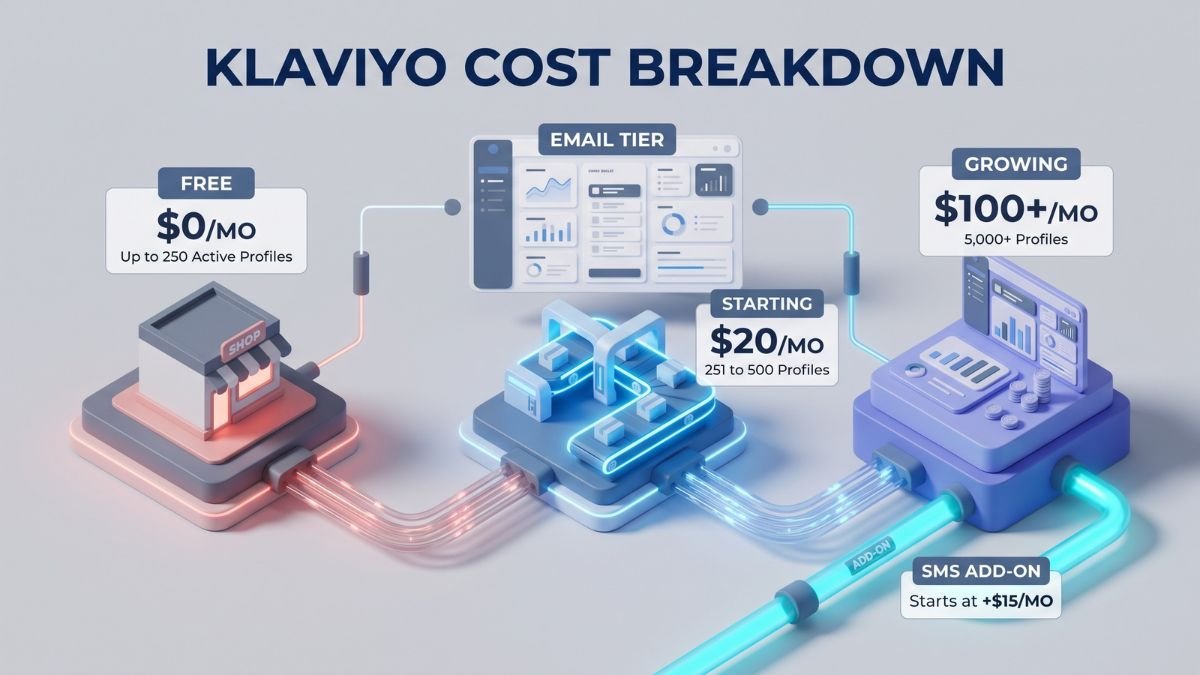
- Free: $0 for up to 250 active profiles, with 150 SMS/MMS credits.
- Email plan: From $20 per month for 251 to 500 active profiles.
- Email + SMS: From about $35 per month at the same tier.
- Typical email-only costs: About $30 at 1,000 profiles, $100 at 5,000, $150 at 10,000, and $720 at 50,000.
- SMS is separate: It’s sold in credits, with a base add-on of $15 per month for up to 1,250 credits.
- The catch: Your bill moves up a tier whenever your active profiles cross a threshold.
Klaviyo Pricing at a Glance
| Plan | Starting price | What’s included |
|---|---|---|
| Free | $0 | Up to 250 active profiles, 150 SMS/MMS credits, forms and push notifications, segmentation, A/B testing, Shopify data sync |
| From $20/month (251 to 500 active profiles) | Multichannel segmentation and flows, product recommendations, email AI, send time optimization, predictive analytics, 160+ templates | |
| Email + SMS | From about $35/month | Everything in Email, plus SMS credits, two-way conversations, branded links, and multichannel testing |
Free plans are reported to cap email sends at 500 per month, and paid plans allow roughly 10 times your active profile count in sends.
How Klaviyo Pricing Works
You Pay for Active Profiles
An active profile is someone you can market to. Klaviyo says billing is based on reachable contacts, and unsubscribed and suppressed contacts don’t count. Pricing trackers report Klaviyo moved to this model in February 2025.
Prices Rise in Tiers
Your plan is sized by your active profile count. If your count goes past your tier, Klaviyo moves you to the next one at the next billing cycle.
You Can Turn On Auto Downgrade
Klaviyo’s billing preferences include an “auto downgrade on profiles” setting. When your active profile count qualifies for a lower tier, for example after a list cleanup, your plan moves down at the next cycle. If you don’t turn it on, don’t assume your bill will drop by itself.
Klaviyo Email Plan Cost by Active Profiles
| Active profiles | Email plan (per month) | Email + SMS base (per month) |
|---|---|---|
| Up to 250 | $0 | $0 |
| 251 to 500 | $20 | $35 |
| 1,000 | $30 | $45 |
| 3,000 | $70 | $140 |
| 5,000 | $100 | $170 |
| 10,000 | $150 | $165 |
| 20,000 | $375 | $390 |
| 25,000 | $400 | See slider |
| 50,000 | $720 | See slider |
| 100,000 | About $1,380 | See slider |
| 250,000 | About $2,300 | See slider |
These figures match Klaviyo’s active pricing calculator for late 2026. Be careful between 10,000 and 15,000 profiles: the tiers step up every 1,000 profiles, instantly adding $50 to your monthly bill at each tiny step. In this band, even modest list growth costs real money.
Klaviyo SMS Pricing
SMS isn’t a flat fee. Klaviyo sells it in credits, and it’s billed separately from your email plan. An email plan is required to use it.
- Free plan: 150 SMS/MMS credits.
- SMS add-on: $15 per month for up to 1,250 SMS/MMS credits, including carrier fees, per the Shopify listing.
- Per-message cost: Trackers report about $0.009 per US message at standard volume. International messages can use several credits each. [VERIFY with Klaviyo’s SMS credit calculator.]
Hidden Costs and Gotchas
| Gotcha | What happens | How to manage it |
|---|---|---|
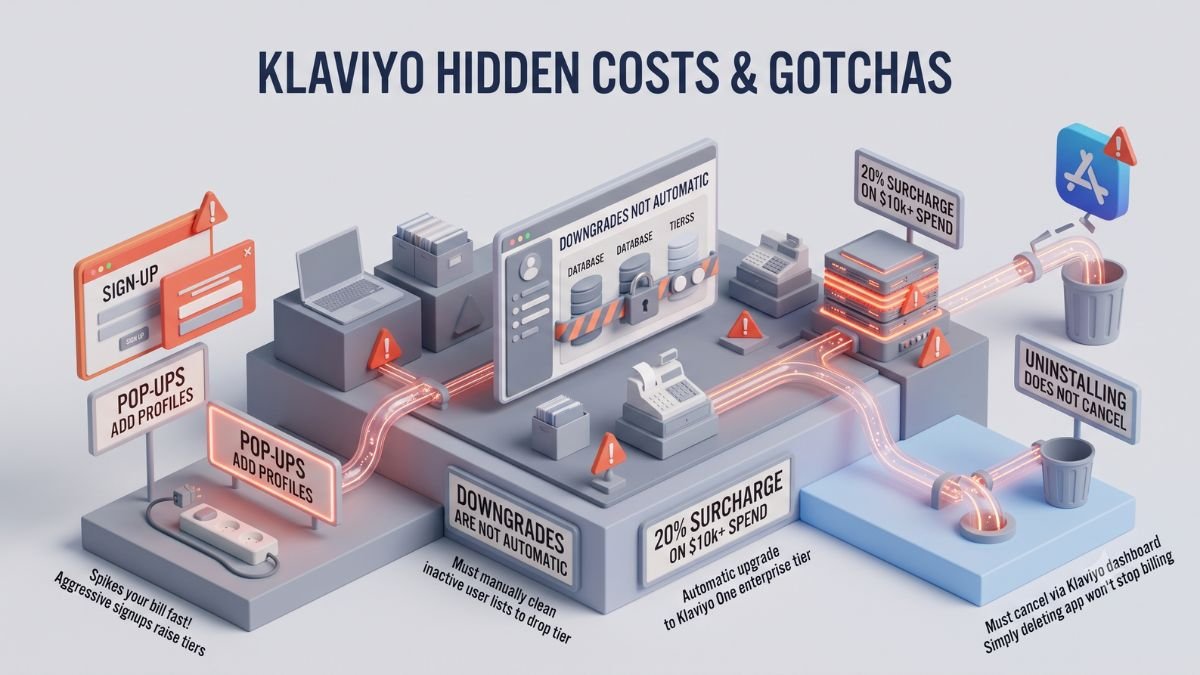
| Pop-ups add profiles | Every reachable signup counts toward your tier, so aggressive list growth raises your bill before it raises revenue | Collect opt-ins deliberately and track list quality |
| Tier jumps | Crossing a threshold moves you up at the next billing cycle | Check your count before the cycle ends |
| Downgrades aren’t automatic by default | Your tier can stay high after you clean your list | Turn on “auto downgrade on profiles” in billing preferences |
| High-spend surcharge | Trackers report a mandatory 20% surcharge once monthly spend passes $10,000 | Ask Klaviyo sales before you approach that level |
| SMS credits | Billed separately and vary by country | Estimate with Klaviyo’s calculator |
| Separate add-ons | Reviews, customer service tools, and advanced data products have their own pricing | Price each add-on before you turn it on |
| Cancelling | One recent reviewer says uninstalling the Shopify app didn’t stop billing | Cancel or downgrade in your Klaviyo account and confirm the status |
How to Lower Your Klaviyo Bill
- Suppress unengaged profiles. Suppressed profiles don’t count toward your tier.
- Clean your list before each billing cycle. Your count at the cycle determines your tier.
- Run a sunset flow. Send a final re-engagement email, then suppress people who don’t respond.
- Turn on auto downgrade. It moves you down a tier when your list shrinks.
- Watch tier boundaries. If you’re close to a threshold, clean first before adding more signups.
- Add SMS later. Start with email flows, and add SMS once they’re working.
- Start on the free plan. Build your welcome and abandoned cart flows before you pay.
Example Costs by Store Size
| Store stage | Active profiles | Email plan | Email + SMS base |
|---|---|---|---|
| Brand new store | Up to 250 | $0 | $0 |
| Early traction | 500 | $20 | $35 |
| Growing | 1,000 | $30 | $45 |
| Established | 5,000 | $100 | $115 |
| Scaling | 10,000 | $150 | $165 |
| Large list | 25,000 | $400 | See slider |
SMS credits beyond the included amount cost extra, as do any add-ons.
Klaviyo Vs Mailchimp: Pricing and Features Compared
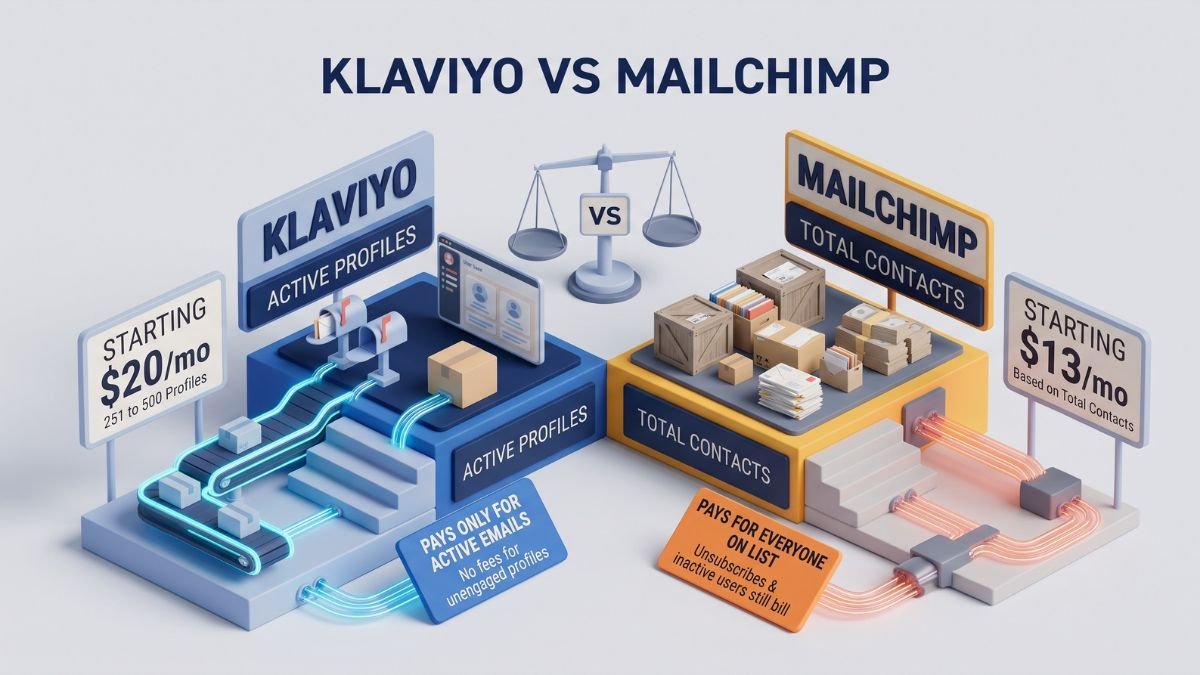
Here’s the question most Shopify merchants ask next. The short answer: Klaviyo is built around ecommerce behavior and automation, while Mailchimp is often cheaper at larger list sizes for simpler needs.
Price Comparison
| Contacts / profiles | Klaviyo Email plan | Mailchimp Standard plan |
|---|---|---|
| Free tier | 250 active profiles | 250 contacts |
| 500 | $20 | $20 (Essentials is $13) |
| 1,000 | $30 | $45 |
| 5,000 | $100 | $100 |
| 10,000 | $150 | $135 |
| 25,000 | $400 | $270 |
| 50,000 | $720 | $450 |
Mailchimp’s starting prices come from its Shopify listing. Its higher-tier prices come from third-party trackers and may differ from your quote. Mailchimp bills by contacts, so check how your account counts unsubscribed and non-subscribed contacts.
What Each Mailchimp Plan Includes
| Plan | Starting price | Highlights |
|---|---|---|
| Free | $0 | Email, forms, landing pages, surveys, reports |
| Essentials | From $13/month | Templates, up to 4 automations, 24/7 email and chat support, SMS as an add-on |
| Standard | From $20/month | Up to 200 automations, send time optimization, behavioral targeting |
| Premium | From $350/month | Advanced segmentation, multivariate testing, unlimited seats, phone support |
Feature Comparison
| Area | Klaviyo | Mailchimp |
|---|---|---|
| Pricing basis | Active profiles | Contacts |
| Free plan | 250 active profiles | 250 contacts |
| Automation | Flows on every plan | Up to 4 automations on Essentials, up to 200 on Standard |
| Channels | Email, SMS, WhatsApp, and push | Email, with SMS as an add-on |
| Shopify rating | 4.7 (3,362 reviews) | 4.8 (1,363 reviews) |
| Support | Help center, Academy, community | 24/7 email and chat on paid plans; phone on Premium |
Klaviyo’s own comparison page claims it beats Mailchimp on segmentation and reporting. That’s vendor marketing, so test the features you care about.
Which Should You Choose?
- Klaviyo makes more sense if you run an ecommerce store and want behavior-based segments, strong flows, and SMS in one tool, and you can handle higher bills as your list grows.
- Mailchimp makes more sense if you mainly send newsletters, have a larger list on a tight budget, or want a simpler tool.
- Also look at Shopify Messaging (4,000+ reviews, free to install) and Omnisend (3,000+ reviews, free plan available).
Is Klaviyo Worth the Price?
Merchants often call Klaviyo’s automated flows, such as abandoned cart, welcome, and post-purchase, a “set-and-forget” revenue driver. Some say the pricing feels high. On the Shopify App Store, 88% of ratings are five stars, but 263 of 3,362 reviews (8%) are one star, so read the negative ones before you commit.
Do a quick break-even check. These numbers are illustrative, not Klaviyo’s results:
| Item | Example |
|---|---|
| Active profiles | 5,000 |
| Email plan bill | $100/month |
| Gross margin | 40% |
| Revenue needed to cover the bill | $250 |
If your flows and campaigns bring in more than that in extra sales each month, the plan pays for itself. If they don’t, the free plan or a cheaper tool may fit better.
How to Get Started With Klaviyo on Shopify
- Install Klaviyo from the Shopify App Store. The listing says new stores get a guided setup for a sign-up form, a welcome email, and an abandoned-checkout flow.
- Start on the free plan and build your core flows.
- Check your active profile count weekly.
- Turn on auto downgrade and clean unengaged profiles before each billing cycle.
- Add SMS only after your email flows are working.
Final Verdict
Klaviyo is a strong ecommerce email and SMS platform, and the free plan is a safe way to start. The cost is the main catch: you pay for active profiles, tiers rise as your list grows, and SMS, add-ons, and a possible high-spend surcharge can add to the bill. Estimate your cost at your current list size and at double that, then compare Klaviyo versus Mailchimp, and a lighter Shopify-native option, before you commit.
Frequently Asked Questions
How much does Klaviyo cost per month?
Klaviyo is free for up to 250 active profiles. The Email plan starts at $20 per month for 251 to 500 profiles, about $30 at 1,000, and about $150 at 10,000.
Is Klaviyo free?
Yes. The free plan covers up to 250 active profiles with 150 SMS/MMS credits. Paid plans start at $20 per month.
What is an active profile in Klaviyo?
Someone you can market to. Klaviyo says unsubscribed and suppressed contacts don’t count toward your tier.
How much does Klaviyo SMS cost?
SMS is billed in credits. The Shopify listing shows an add-on at $15 per month for up to 1,250 credits, and extra costs depend on volume and country.
Is Klaviyo cheaper than Mailchimp?
It depends on list size. At small lists the two are close, and at larger lists Mailchimp’s Standard plan is reported to cost less. Check both pricing sliders with your own numbers.
Will my Klaviyo bill go down if my list shrinks?
Only if you turn on the “auto downgrade on profiles” billing preference. With it on, Klaviyo moves your plan down at the next cycle once your count qualifies.
Is Klaviyo worth it for a small Shopify store?
It can be if you’ll build flows like welcome and abandoned cart. Start on the free plan and move up only when the revenue justifies it.
How do I cancel Klaviyo?
Cancel or downgrade in your Klaviyo account settings. Uninstalling the Shopify app doesn’t necessarily stop billing, so confirm your account status afterward.