The moment right after checkout is one of the easiest places to raise average order value. The customer has already decided to buy, so a well-chosen add-on can convert without a second checkout. ReConvert is one of the most-reviewed apps for this job on Shopify. This ReConvert review covers what it does, what it costs after its rebrand to Upsell.com, how setup works, where it falls short, and who should compare other apps.
Details come from the Shopify App Store listing and the vendor’s pricing page, checked on October 9, 2026. Pricing changes often with this app, so check it again before you decide.
ReConvert Review: Quick Verdict
ReConvert is a strong value pick for small and mid-size stores that want post-purchase offers, thank-you page upsells, and cart upsells with A/B testing, starting from a free plan. Whether it’s “the ultimate” app depends on your volume. At higher order counts the pricing climbs steeply, and alternatives deserve a look.
- Best for: Stores with up to a few hundred orders a month that want one app for post-purchase, thank-you page, and cart offers.
- Skip it if: You want flat, predictable pricing, or you’re a high-volume store that hasn’t compared AfterSell, Zipify OCU, or Rebuy.
- Rating: 4.8 stars from 3,105 reviews on the Shopify App Store.
- Starting price: Free for up to 50 orders or $50 of upsell revenue per month.
- Free trial: 14 days on paid plans.
ReConvert at a Glance
| Detail | Info |
|---|---|
| Current name | Upsell.com (ex ReConvert); the Shopify listing is titled “ReConvert post purchase upsell” |
| Developer | Upsell.com, New York, US |
| On the Shopify App Store since | September 2018 |
| Shopify App Store rating | 4.8 (3,105 reviews) |
| Free plan | Up to 50 orders or $50 upsell revenue per month |
| Paid plans | $9.99 to $39.99 per month up to 500 orders; higher tiers on the vendor’s site |
| Free trial | 14 days on paid plans |
| Platforms | Shopify, Shopify Plus, and Wix |
| Works with | Checkout, customer accounts, Shopify Flow, Klaviyo, Loox, Rebuy |
| Best for | Small to mid-size stores adding upsells at every stage |
| Main drawback | Pricing rises sharply at higher volumes |
What Is ReConvert?
ReConvert is a Shopify upsell and cross-sell app, best known for post-purchase and thank-you page offers. Its listing says it can present bundles, upsells, and cross-sells at every stage of the customer journey, from pre-purchase offers to post-purchase upsells. shopify
In practice that means offers on the product page, cart page and drawer, thank-you page, order status page, and, for Shopify Plus stores, checkout. The listing’s screenshots also show thank-you page widgets such as order tracking, social sharing, and discount blocks, plus post-purchase surveys and birthday capture.
The ReConvert to Upsell.com Rebrand
ReConvert now operates under the Upsell.com name. The product is the same app, and the Shopify listing still carries the ReConvert name, but you’ll see both names across the web. This matters for two reasons:
- Older reviews and comparison posts may describe the previous plans and prices.
- Searching only for “Upsell.com” can miss older reviews of the same app.
Who ReConvert Is For (and Who It Isn’t)
A Good Fit If You…
- Want post-purchase and thank-you page upsells without paying much up front.
- Run a small to mid-size store and want a free plan to test.
- Want A/B testing and targeting rules without coding.
- Use Klaviyo, Loox, or Shopify Flow and want them connected.
- Sell on Shopify Plus and want checkout upsells.
Look Elsewhere If You…
- Need predictable flat pricing at high volume.
- Only want a simple slide cart and shipping bar.
- Want full-site personalization and AI search, where a platform like Rebuy covers more.
Key Features
| Area | What it does |
|---|---|
| Post-purchase upsell | One-click offers after checkout |
| Thank-you page | Offers plus order tracking, social sharing, discount widgets, surveys, and birthday capture |
| Order status page | Offers on the order status page |
| Product page and cart | Product upsells, recommendations, frequently bought together, bundles, cart drawer offers |
| Checkout | Checkout upsells for Shopify Plus stores |
| Widgets | Product upsell, recommendations, bundles, forms, timers, banners, text blocks |
| Targeting | Flow builder with cart, order, customer, and product conditions, plus AND/OR rule groups |
| Testing and analytics | Built-in A/B testing, revenue analytics, funnel performance |
| Editing | Live-preview editor, AI setup assistant, multi-language and multi-location |
| Integrations | Klaviyo, Loox, Trustpilot, Judge, Search & Discovery, Shopify Flow |
Upsell.com says every feature is included on every plan. Tiers differ by order volume and support level.
ReConvert Pricing and Plans (as of October 9, 2026)
| Plan | Monthly volume | Price | Support |
|---|---|---|---|
| Free | Up to 50 orders or $50 upsell revenue | $0 | 24/7 live chat |
| Growth | 51 to 100 | $9.99/month | 24/7 live chat |
| Growth | 101 to 200 | $19.99/month | 24/7 live chat |
| Growth | 201 to 500 | $39.99/month | 24/7 live chat |
| Growth | Up to 1,000 and up to 2,000 | See the pricing slider | 24/7 live chat |
| Scale | Up to 10,000 | From $299/month | Priority chat, guided onboarding |
| Elite | Up to 20,000 | From $899/month | Dedicated CSM, private Slack channel |
| Enterprise | 20,000+ | Custom | Multi-store billing, direct product team access |
Paid Growth plans include a 14-day free trial, and Upsell.com lists a 25% saving on annual billing. The volume is measured by whichever is higher: your monthly store orders or the upsell revenue the app generates.
What That Pricing Means
Because the tier follows the higher of orders or upsell revenue, your bill can rise when the app works well. A store with 100 orders but strong upsell revenue could land in a higher tier than its order count suggests. Check the pricing slider with both numbers.
Is It Worth the Cost?
Do a quick break-even check. These numbers are illustrative, not ReConvert’s results:
| Item | Example |
|---|---|
| Orders per month | 300 |
| Plan (201 to 500 orders) | $39.99 |
| Gross profit per accepted upsell | $12 |
| Accepted upsells to cover the bill | About 4 |
| Same math on a $299 plan | About 25 accepted upsells |
At low volume the math is easy. At the Scale level, check whether your accepted upsells clear a much higher bar.
How to Set Up ReConvert (Step by Step)
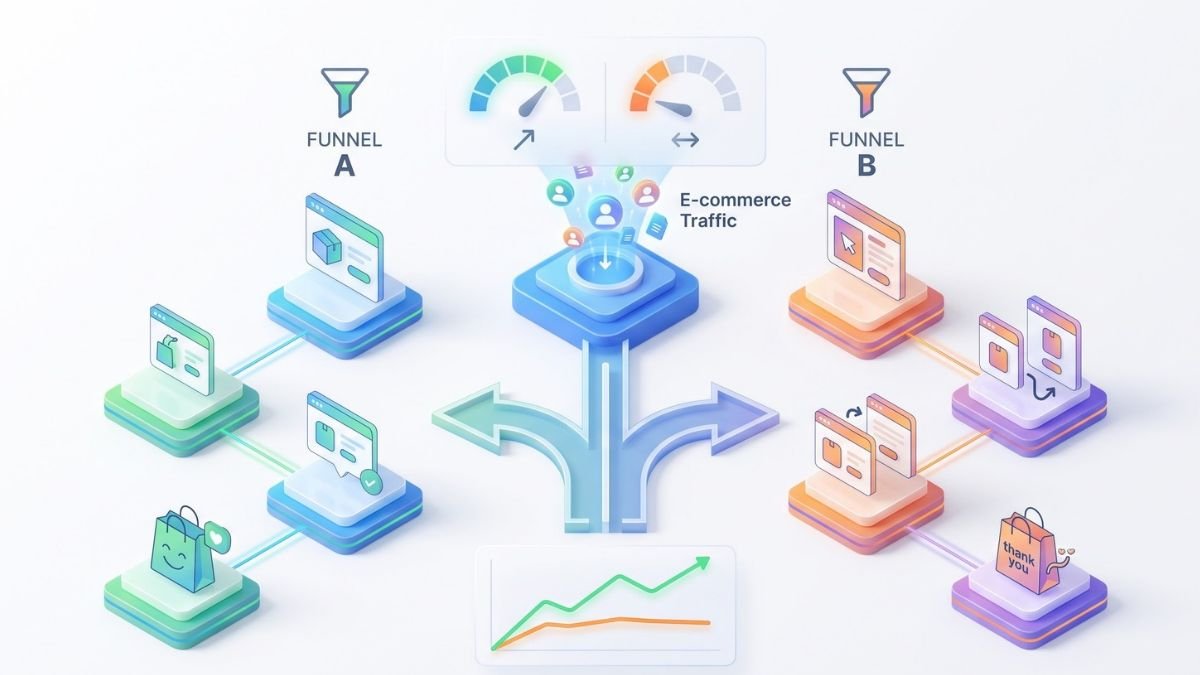
Instead of guessing which post-purchase offer works best, use ReConvert’s built-in A/B testing engine to pit different discounts and products against each other.
1. Record Your Baseline
Note your current AOV, conversion rate, and revenue per order so you can judge the impact later.
2. Install and Review Permissions
Search for “ReConvert post purchase upsell” in the Shopify App Store. The app asks for broad access, including customer, order, discount, theme, and checkout data, plus browsing behavior and web pixels. Read the data access list first.
3. Start on the Free Plan or Trial
Use the free tier to test. Move up only when you hit the volume cap.
4. Build One Post-Purchase Offer
Pick a low-priced, relevant add-on, such as an accessory or refill. Keep it to one offer to start.
5. Customize the Thank-You Page
Add order tracking, a short survey, or social sharing so the page stays useful, not just salesy.
6. Add Targeting Rules
Use conditions to show offers only to relevant customers, for example by cart contents or order value.
7. Run an A/B Test
Change one element at a time, such as the offer product or the discount.
8. Test the Full Flow on a Phone
Place a test order with your real payment setup. One-click post-purchase offers can depend on your payment gateway, so confirm compatibility in ReConvert’s help center.
9. Review After a Few Weeks
Compare AOV and revenue to your baseline, and compare the lift to your plan cost.
Pros and Cons of ReConvert
Pros
- 4.8 stars from 3,105 reviews, with merchants frequently praising quick setup and responsive support.
- A free plan to start, and every feature included on every plan.
- Covers post-purchase, thank-you page, order status, cart, product page, and Plus checkout.
- Built-in A/B testing and targeting rules.
- 24/7 live chat support on all plans.
- Works with Klaviyo, Loox, Shopify Flow, and more.
Cons
- Prices climb steeply from the 500-order tier to $299 and $899 per month.
- The billing tier depends on the higher of orders or upsell revenue, so costs can rise as the app succeeds.
- Some reviewers call the pricing unfair, and 68 reviews are one star.
- The rebrand creates confusion between old and new pricing information.
- Checkout upsells are for Shopify Plus stores, and the vendor lists them under Elite.
- It requests broad data and theme access.
ReConvert vs AfterSell, Zipify OCU, and Rebuy
| App | Pricing model | Rating | Notes |
|---|---|---|---|
| ReConvert (Upsell.com) | Free to 50 orders; $9.99 to $39.99 up to 500 orders; higher tiers from $299 | 4.8 (3,105) | All features on every plan |
| AfterSell (by Rokt) | Free up to $200 in upsell revenue. Paid plans start at $34.99/mo, $59.99/mo, and $79.99/mo depending on the features needed. | About 4.9 (1,074+ reviews | Dedicated post-purchase and thank-you page tool; one reviewer complained about a price rise as their store grew |
| Zipify OCU | Scales with generated upsell revenue.It starts at $9.95/mo (up to $200 upsell revenue), scales to $25/mo, and goes up to $149/mo as upsell revenue increases. | About 4.6 (568+ reviews) | Reviewers note it can get expensive for larger stores |
| Rebuy | From $25/month; scales with orders | 4.7 (854) | Broader personalization across cart, checkout, search, and flows |
When a Different App Makes Sense
If your goal is mostly cart upsells with a shipping bar, free-plan apps like Upcart, Kaching, and Essent are listed as similar apps and cost less. If you want store-wide AI personalization, Rebuy covers more ground but costs more. If post-purchase is your whole focus and your volume is high, compare AfterSell and Zipify OCU against ReConvert’s higher tiers.
When ReConvert Makes Sense
If you want a low-cost way to start with post-purchase and thank-you page offers, and your volume is under a few hundred orders a month, ReConvert is a reasonable first choice.
Limitations and Things to Watch
Because ReConvert’s pricing scales dynamically based on either your store’s total order volume or the upsell revenue generated, costs can spike quickly during high-traffic months.

Pricing Moves With Your Success
Model your bill at your current volume and at double that volume. Ask what your upsell revenue would put you at.
Attributed Revenue Isn’t the Same as Extra Revenue
Some upsell purchases might have happened anyway. Use A/B tests to measure real lift.
Payment Compatibility
One-click post-purchase offers may depend on your payment gateway. Test before you launch.
Permissions and Speed
The data access list is extensive, and the app can add scripts to your store. Test page speed before and after installing.
Offer Fatigue
Too many offers can annoy customers. Start with one relevant offer and expand only if results hold.
Which ReConvert Plan Fits Your Store?
| Store type | Suggested starting point | Why |
|---|---|---|
| New store, under 50 orders | Free | Test with no cost |
| 51 to 500 orders | Growth tiers ($9.99 to $39.99) | Low cost for steady volume |
| 500 to 2,000 orders | Check the pricing slider | Prices aren’t listed on the Shopify listing |
| 2,000 to 10,000 orders | Scale, from $299/month | Compare against AfterSell, Zipify OCU, and Rebuy first |
| Shopify Plus brand wanting checkout upsells | Elite, per the vendor’s pricing page Elite ($899/month) | Includes checkout upsells |
| Multi-store brand | Enterprise | One invoice across stores |
What Merchants Say
On the Shopify App Store, about 95% of ratings are five stars. Merchants commonly say it delivers extra revenue and higher AOV, setup is quick and needs no coding, and support is helpful even for non-technical users. One reviewer credits it with $17,000 in extra revenue in a month, but that’s one store’s claim and results will vary. Low-star reviews exist too, and some criticize the pricing, so read them before you decide.
Final Verdict
ReConvert is a solid, flexible post-purchase and thank-you page upsell tool, and its free plan makes it easy to try. It’s a particularly good fit for small and mid-size stores. The main risk is cost: pricing rises steeply at higher volumes, and the tier depends on the higher of orders or upsell revenue. Test it, measure the lift against your bill, and compare AfterSell, Zipify OCU, or Rebuy if your store is large.
Frequently Asked Questions
What is ReConvert?
ReConvert is a Shopify app for post-purchase upsells, thank-you page offers, cart upsells, and bundles. It’s now operated under the Upsell.com name.
Is ReConvert the same as Upsell.com?
Yes. The Shopify listing still shows “ReConvert post purchase upsell,” and the developer is listed as Upsell.com ex ReConvert.
Is ReConvert free?
There’s a free plan for up to 50 orders or $50 of upsell revenue per month. Paid tiers start at $9.99 per month.
How much does ReConvert cost?
Listed Shopify tiers run from $9.99 to $39.99 per month up to 500 orders. The vendor’s site shows Scale from $299 per month and Elite from $899 per month.
Do I need Shopify Plus?
No. Checkout upsells are for Plus stores, but the other features work on regular Shopify.
Does ReConvert have a free trial?
Paid plans include a 14-day free trial.
Which apps work with ReConvert?
The listing names Klaviyo, Loox, Shopify Flow, and Rebuy, and the vendor lists Trustpilot, Judge, and Search & Discovery.
Will ReConvert slow my store?
It can add scripts like any upsell app. Test your speed before and after installing.
ReConvert vs AfterSell: which is better?
It depends on volume and budget. Compare current pricing and features for both at your order count.