Reconciling physical stock against your backend is an accounting nightmare. To fix mismatched numbers, pulling a reliable shopify inventory report is the only way to audit valuation and stop phantom inventory.
While native shopify inventory reports track sell-through and ABC tiers, untracked COGS and missing transfer stock can easily corrupt your financial statements.
This guide breaks down native report suites, CSV exports, snapshot data, and plan-tier gating so you can audit stock with total precision.
Key Takeaways
- Inventory is a balance-sheet asset, with significant implications for cash flow.
- Utilizing the Shopify inventory report helps maintain accurate stock levels.
- This guide outlines practical steps from report access to data analysis.
- Understanding your inventory aids in maximizing revenue potential.
- Every inventory decision should connect to a specific business metric.
Introduction and Overview
For many merchants, keeping track of stock can be a daunting task, particularly in the fast-paced retail landscape. Inventory reporting is essential for effective stock management. It involves the collection, analysis, and documentation of stock data, including SKU, variant, location, quantity, incoming units, adjustments, and cost.
Accurate inventory data is crucial. According to Zebra Technologies’ 2025 Global Shopper Study, over half of shoppers left stores due to out-of-stock items. This link between product availability and shopper behavior highlights how stock accuracy directly impacts customer experience.
Moreover, a GS1 US study found that users of real-time tracking were 68% more likely to report better control over their stock. By utilizing standardized product and location data, merchants can avoid the pitfalls of disconnected spreadsheets.
Additionally, Netstock’s benchmarks show that top-performing businesses maintain excess inventory at 26% or less, with stockouts below 2%. This disciplined approach to working capital is vital for US merchants.
Explain the Different Inventory Reports Available in Shopify
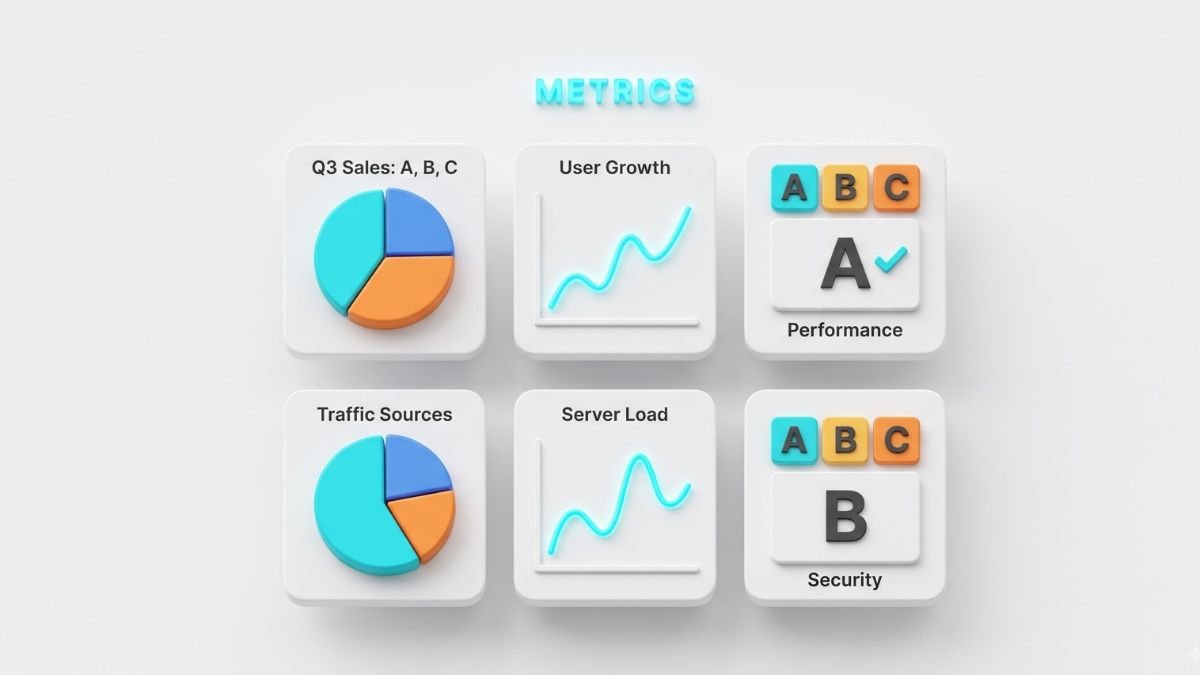
Exploring the different types of reports can significantly enhance your inventory management strategy. Shopify offers six essential native reports that provide valuable insights into stock performance. These reports serve as operational tools, allowing merchants to make informed decisions based on data-driven metrics.
The first report is the month-end inventory snapshot, which records the available quantity of each product variant at the end of the month. Next, the average sold per day report shows how many units are sold daily for each variant. The percent sold report calculates the percentage of each variant sold from the starting inventory during a selected period.
Additionally, the ABC analysis grades variants based on their revenue contribution over the last 28 days. The sell-through rate measures the percentage of available inventory sold, while the days remaining report estimates how many days current stock may last based on sales velocity.
| Report Name | Key Metrics | Best Use Case |
|---|---|---|
| Month-end Inventory Snapshot | Available Quantity | Monthly stock assessment |
| Average Sold Per Day | Daily Sales | Sales performance tracking |
| Percent Sold | Sales Percentage | Inventory turnover analysis |
| ABC Analysis | Revenue Contribution | Prioritizing high-value items |
| Sell-through Rate | Sales Percentage | Evaluating product demand |
| Days Remaining | Stock Duration | Replenishment planning |
Deep Dive: Shopify Inventory Reporting Metrics Explained
Understanding key metrics is essential for effective stock management. Each metric offers insight into your business’s operational health. Let’s break down the most critical metrics you should monitor.
Key Metrics Breakdown
Available, committed, incoming, and on-hand quantities define your stock status. These terms help distinguish between physical stock and what can actually be sold. Misinterpreting these can lead to costly errors.
The inventory value is calculated by multiplying units on hand by the cost per item. This formula shows why quantity errors can become balance-sheet errors. Similarly, the inventory turnover ratio is derived from the cost of goods sold divided by average inventory. While Shopify provides related reports, a default turnover report is not available.
Interpreting Stock Levels and Trends
Consider a store with $30,000 in shrinkage and $1 million in sales. This results in a 3% shrinkage percentage, signaling a need for location and cycle-count analysis. It’s vital to interpret metrics like sell-through, daily sales, days remaining, and ABC classifications together. Relying on a single metric can lead to poor purchasing decisions.
How to Pull Inventory Report from Shopify (Step-by-Step Export)

Extracting actionable insights from your stock data can streamline operations and enhance profitability. To efficiently pull your inventory report, follow these steps directly within the Shopify Admin.
Start by navigating to Analytics and selecting Reports. From there, choose the Inventory category and open the report that aligns with your operational needs.
Before exporting, it’s essential to set a defined date range. This helps maintain clarity, especially when comparing different sales periods, like April versus November. Next, configure your columns to include key metrics such as SKU, product title, variant title, location, ending quantity, available, committed, incoming, cost per item, and inventory value.
To validate your valuation, multiply the ending available quantity by the cost per item. Remember, committed inventory and incoming transfer units are excluded from this total. Once everything is set, export the CSV file, preserving the original document. Make sure to document the date range and filters used, then share this controlled copy with your finance or operations team.
Advanced CSV Export Tips and Data Filtering Techniques
Exporting data efficiently is vital for accurate stock management. When pulling reports, optimizing column configurations can enhance traceability. Always include essential columns like SKU, barcode, product title, and vendor. This ensures every exported row is easily identifiable.
For businesses utilizing multiple warehouses or third-party logistics, it’s crucial to add columns for origin, destination, and transfer status. This provides clarity on where products are at any given time. Additionally, using ShopifyQL can help retrieve specific data points when standard reports fall short.
Ensuring data accuracy during export is equally important. Before using the file for valuation, reconcile row counts, check for duplicate SKUs, and address any blank costs or negative quantities. Also, compare the export timestamp with the analytics dashboard’s refresh rate to pinpoint discrepancies.
| Column Type | Description | Purpose |
|---|---|---|
| SKU | Stock Keeping Unit | Identifies products uniquely |
| Transfer Reference | Document of transfer | Tracks product movement |
| Vendor | Supplier of the product | Manages supplier relations |
| Location | Storage area for stock | Helps in inventory organization |
| Expected Arrival | Projected delivery date | Plans for stock replenishment |
Tracking Shopify Report Inventory Quantity Over Time

Understanding how your stock levels fluctuate can significantly impact your operational strategy. Analyzing month-end inventory snapshots is a powerful method for tracking changes over time. These snapshots provide a clear view of available quantities by SKU, product variant, and location.
When comparing these snapshots, focus on identifying the reasons behind quantity changes. Did they stem from sales, receipts, returns, adjustments, or transfers? This analysis is crucial for understanding your stock’s dynamics.
It’s also important to separate available, committed, incoming, and unavailable states. A snapshot may understate future supply if transfer stock hasn’t been received yet. Additionally, investigate untracked COGS when costs per item are missing or when ending inventory doesn’t align with your accounting ledger.
Reconcile transfer references and receiving dates diligently. Remember, incoming transfer units are excluded from available inventory value until their state changes. Utilizing the 0.53% discrepancy rate found in the 2025 warehouse study can serve as a practical threshold for triggering cycle counts and location audits.
Analyzing Historical Trends and Avoiding Reporting Pitfalls
Understanding past sales trends is essential for predicting future demand and optimizing stock levels. Analyzing long-term trends helps merchants navigate the complexities of retail without falling into common traps.
When assessing historical data, compare equivalent periods year over year. This is particularly important during high-traffic seasons like Black Friday and Cyber Monday, where month-over-month comparisons can be misleading.
Long-Term Trend Analysis and Stock Flow
Separating demand-driven stock declines from shrinkage is crucial. The 2025 National Retail Federation report highlights a 19% increase in retail theft incidents from 2023 to 2024. This context is vital when evaluating sales performance.
Additionally, reviewing transfers, returns, and damaged units can clarify whether a product is genuinely underperforming. For instance, Burberry’s FY26 results show a 67.9% gross margin, indicating that disciplined purchasing can lead to improved profits.
Common Pitfalls and How to Avoid Them
Using location trends can also enhance fulfillment efficiency. The MIT Center for Transportation and Logistics reported a 24% reduction in picker travel distance through frequency-based slotting. This approach can optimize stock flow and improve operational performance.
Which Shopify Plans Include Inventory Reports?

Understanding the different subscription tiers can clarify what inventory insights you can access. All plans offer Shopify Analytics, enabling merchants to track core stock data. However, the depth of reporting varies significantly across the tiers.
The Basic plan provides essential reporting features. Merchants can utilize core inventory insights, product performance, and sales metrics. This tier is ideal for those needing standard reporting as they grow their business.
Upgrading to the Advanced plan unlocks deeper reporting workflows. It offers broader customization and sophisticated analysis for merchants with higher transaction volumes and SKU complexities. This can be crucial for those scaling their operations.
For enterprise-level needs, Shopify Plus serves as a robust foundation. It supports complex operations but does not replace specialized accounting tools. Merchants should verify current entitlements in Shopify’s documentation, as reporting capabilities can change over time.
| Plan Type | Core Features | Best For |
|---|---|---|
| Basic | Standard inventory and sales reporting | Growing merchants needing essential insights |
| Advanced | Deeper workflows and customization | High-volume merchants with complex needs |
| Plus | Enterprise-level support and capabilities | Large operations requiring advanced solutions |
Comparing Shopify Reporting Tiers: Basic vs. Advanced Strategies
The decision between basic and advanced reporting strategies can shape your operational efficiency. Each tier offers unique features that cater to different business needs. Understanding these differences is essential for making informed choices.
Basic reporting is ideal for merchants focused on stock visibility and standard valuation. It provides essential insights into sales and inventory turnover. In contrast, advanced reporting allows for deeper analysis by combining product, variant, location, vendor, and financial data. This is crucial for teams that require comprehensive reviews.
Scalability is another key consideration. As businesses grow, their reporting needs evolve. Native reports can suffice for small operations, while larger entities may need custom reports and ShopifyQL for specific queries. Custom explorations help answer detailed questions about stock aging and transfer flow.
When selecting a plan, consider measurable outcomes like reduced stockouts and faster month-end closes. Aligning your reporting capabilities with your operational goals can drive efficiency and profitability.
| Reporting Tier | Features | Best For |
|---|---|---|
| Basic | Stock visibility, basic sell-through analysis | Small to medium businesses |
| Advanced | Custom reports, deeper analysis, ShopifyQL | Growing and large enterprises |
| Custom Explorations | Specific queries, tailored insights | Complex operations needing detailed analysis |
Best Practices for Utilizing Shopify Inventory Data
Effectively utilizing stock data can transform your business strategy. Integrating these insights into your operations ensures that every decision is data-driven. This approach can enhance purchasing, location management, and customer service.
Establishing regular review cadences—daily, weekly, and month-end—aligns replenishment, purchasing, and accounting teams on inventory definitions. Use the Shopify dashboard’s one-minute refresh for real-time operational monitoring. However, preserve controlled snapshots for financial audits.
Combine key metrics like days remaining, sell-through rates, and supplier lead times before adjusting reorder points. This data-driven approach can prevent stockouts and ensure efficient operations. For instance, when one warehouse is overstocked, utilize location reporting to transfer stock before making new purchases.
Connect your availability decisions to the fact that 44% of consumers switch stores due to availability issues, prioritizing products whose absence leads to customer loss. Additionally, organize stockrooms based on picking frequency to enhance efficiency, aiming for a 24% reduction in picker travel distance.
Finally, restrict adjustment permissions and document reasons for changes. Conduct cycle counts and investigate exceptions thoroughly before altering accounting records.
Conclusion
Tracking stock levels effectively is crucial for merchants aiming to optimize their operations. Start with the report that aligns with your needs: use the month-end quantity for reconciliation, the sell-through for movement insights, ABC for prioritization, or days remaining for replenishment.
Export controlled CSV files that include variant, location, quantity, cost, committed, incoming, and adjustment fields before using the data for valuation. Always reconcile snapshots against purchases, sales, returns, transfers, shrinkage, and COGS, as relying solely on available quantities can be misleading.
Consistently review historical periods, as seasonal events and location changes can distort month-over-month comparisons. Match your reporting tier to your operational complexity, and consider custom reporting when native workflows fall short.
Utilize your inventory data as an operational loop: measure stock, investigate variances, make purchasing decisions, document actions, and verify results. This structured approach can significantly enhance your business’s efficiency and profitability.
FAQ
How do I access inventory reports in Shopify?
You can access inventory reports by navigating to the reports section in your Shopify admin. From there, select the inventory reports option to view and analyze your stock data.
What is the month-end inventory snapshot and its benefits?
The month-end inventory snapshot provides a comprehensive view of your stock levels at the end of each month. It helps in assessing performance, identifying trends, and making informed purchasing decisions.
How can I filter reports by date effectively?
To filter reports by date, use the date range selector in the reporting section. This allows you to customize the timeframe for which you want to analyze your inventory data.
How do I configure CSV export columns for accurate valuation?
When exporting a CSV, ensure you select relevant columns such as product variant, quantity, and cost. This will help you obtain a clear valuation of your inventory.
Why is the ABC analysis report important?
The ABC analysis report categorizes inventory based on value and demand, allowing you to prioritize stock management efforts and optimize purchasing strategies.
What are common issues with untracked COGS?
Common issues include inaccurate profit margins and difficulty in financial forecasting. Untracked Cost of Goods Sold (COGS) can lead to revenue leakage and hinder business growth.
How do inventory reports differ across Shopify plans?
Different Shopify plans offer varying levels of reporting capabilities. Basic plans may have limited metrics, while advanced plans provide deeper insights and more detailed analytics.