If you’re running a retail store, a pop-up shop, or selling at markets, you’ve probably already asked yourself: does Shopify have a POS system, and what’s it actually going to cost me?
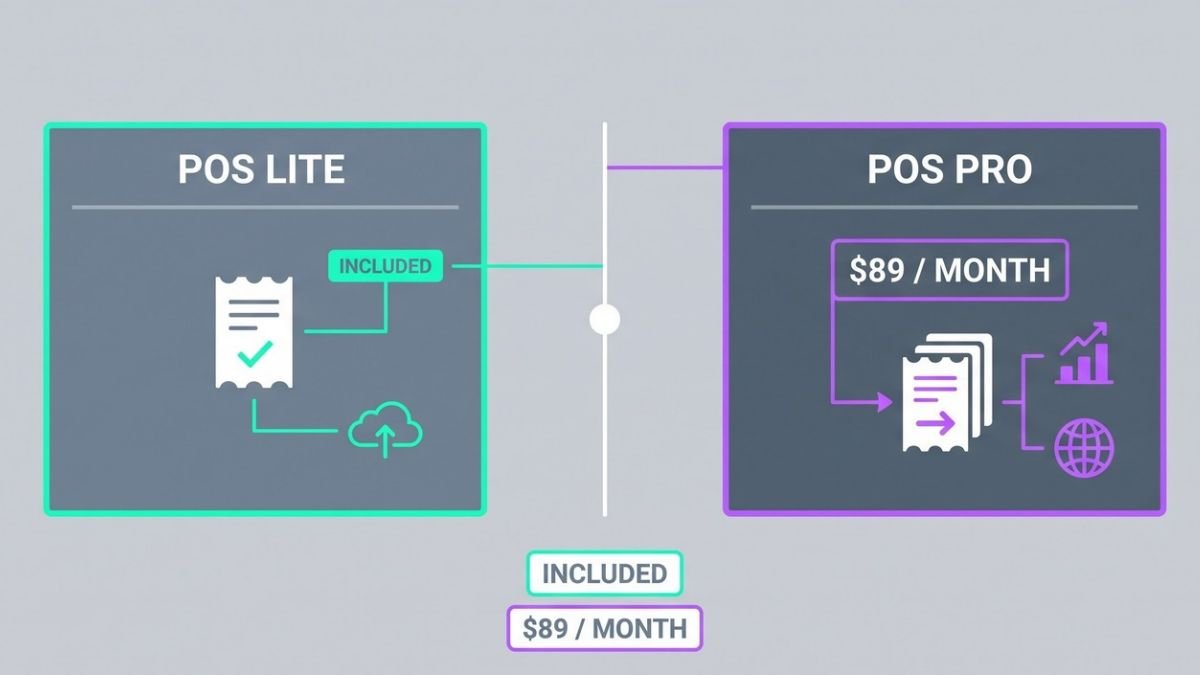
The short answer — yes, Shopify has a POS system, and it comes in two versions: Lite and Pro. The longer answer depends on your setup, your sales volume, and how many features you actually need day-to-day.
This breakdown is for small business owners, retail store operators, and anyone selling in person who wants to know exactly what they’re paying for before committing. We’ll walk through the Shopify POS system pricing for both plans, break down how transaction fees work depending on which plan you’re on, and look at hardware costs so you know the full picture not just the headline number.
Understanding Shopify POS and Its Two Main Plans
What Shopify POS Is and Who It Is For
Shopify POS is a point-of-sale system built directly into the Shopify ecosystem, allowing merchants to sell in physical locations while keeping inventory, customers, and sales data synced with their online store. It suits retailers, pop-up shops, and omnichannel businesses asking, does Shopify have a POS system? the answer is yes, with two distinct plans.
Key Differences Between Lite and Pro Versions
| Feature | POS Lite | POS Pro |
|---|---|---|
| Availability | Included with all Shopify plans | Paid add-on per location |
| In-store selling tools | Basic | Advanced |
| Staff management | Limited | Full-featured |
| Omnichannel features | Minimal | Comprehensive |
Shopify POS Lite covers fundamental selling needs, while POS Pro unlocks deeper retail capabilities for high-volume or multi-location operations.
Which Plan Suits Your Business Type
-
POS Lite — Best for occasional sellers, pop-ups, or businesses primarily operating online
-
POS Pro — Ideal for dedicated brick-and-mortar stores needing robust staff controls and advanced reporting
With this in mind, next, we’ll explore the specific pricing for each plan so you know exactly how much the Shopify POS system will cost your business.
Shopify POS Lite Pricing and What You Get
Cost of POS Lite Included With Shopify Plans
Shopify POS Lite is included at no additional cost with every Shopify subscription from Basic to Advanced. If you’re already paying for a Shopify plan, you automatically have access to POS Lite without any extra monthly fee.
Core Features Available on the Lite Plan
Shopify POS Lite gives merchants a functional foundation for in-person selling. Key features include:
-
Accepting payments in person via compatible hardware
-
Syncing products, inventory, and customers with your online Shopify store
-
Applying discounts and processing refunds
-
Basic staff management tools
-
Order and sales tracking from the Shopify dashboard
For small businesses or those selling occasionally at markets or pop-ups, this covers the essentials of how to use a Shopify POS system effectively.
Limitations to Be Aware Of With Lite
While POS Lite works well for simple setups, it does have notable restrictions:
-
No unlimited staff POS PINs
-
Limited in-store analytics
-
No omnichannel selling features like buy-in-store, ship-to-customer
-
Not suited for multi-location retail operations
With this in mind, next, we’ll explore Shopify POS Pro and whether its added value justifies the upgrade cost for growing retailers.
Shopify POS Pro Pricing and Added Value
Monthly Cost of POS Pro Per Location
Shopify POS Pro is available as an add-on to any existing Shopify subscription plan, priced at $89 per month, per location. This cost is on top of your base Shopify plan fee.
Exclusive Features Unlocked With Pro
Upgrading to Pro unlocks a robust set of retail-focused tools not available in the Lite version, including:
-
Unlimited staff POS access with role-based permissions
-
Advanced inventory management across multiple locations
-
In-store analytics and sales reports
-
Buy online, pick up in-store (BOPIS) fulfillment workflows official Shopify Hardware Store
-
Smart inventory transfers between locations
These features are specifically designed for merchants running dedicated brick-and-mortar retail operations using Shopify POS systems.
When Upgrading to Pro Makes Financial Sense
Now that we have covered what Pro includes, consider upgrading when:
| Scenario | Pro Justified? |
|---|---|
| Running a permanent retail storefront | ✅ Yes |
| Managing multiple physical locations | ✅ Yes |
| Occasional pop-ups or markets only | ❌ Lite suffices |
| Needing advanced staff permissions | ✅ Yes |
For high-volume retailers, the added operational efficiency typically outweighs the $89/month cost per location.
Shopify POS Transaction Fees: How Your Plan Affects Your Rate
Basic, Shopify, and Advanced Plan Pricing Overview
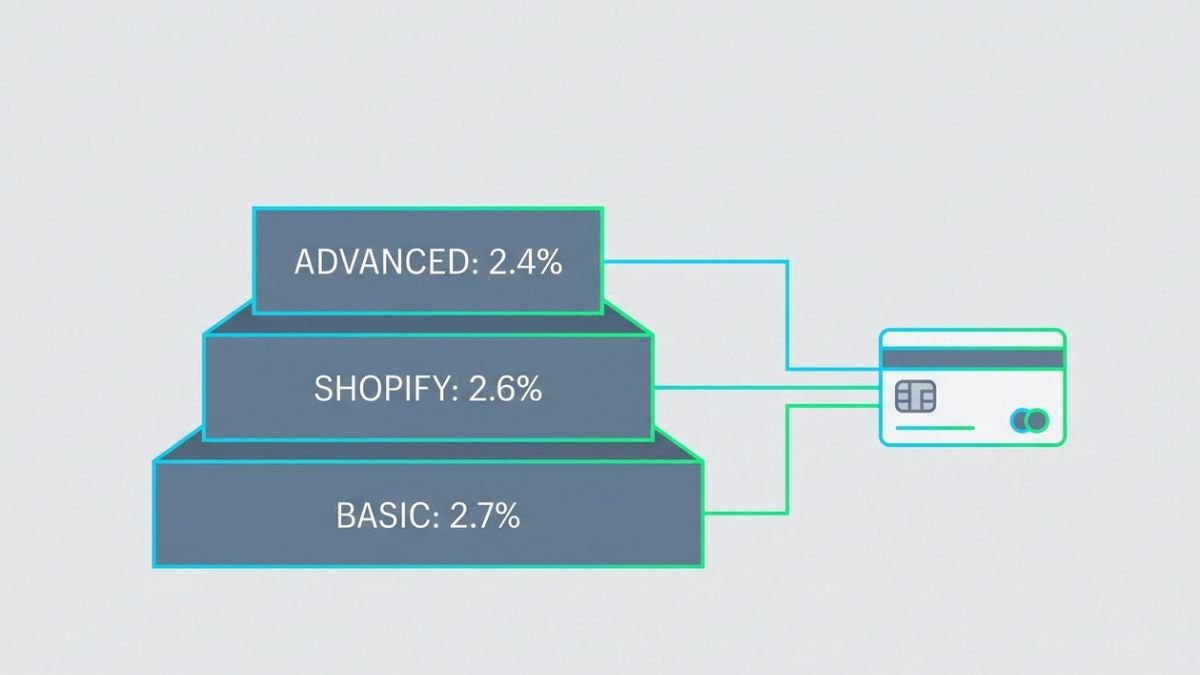
Your Shopify subscription plan directly determines the transaction fees applied to every sale processed through theinventory tracking and reporting Shopify POS system.
| Plan | Monthly Cost | In-Person Card Rate |
|---|---|---|
| Basic | $39/mo | 2.7% |
| Shopify | $105/mo | 2.6% |
| Advanced | $399/mo | 2.4% |
How Transaction and Payment Fees Vary by Plan
One of the biggest misconceptions about Shopify POS is how third-party payment fees work. While Shopify charges an additional 2%, 1%, or 0.5% penalty fee if you use an external payment gateway for online sales, Shopify waives these third-party transaction fees entirely for in-person POS sales. You can use an external card terminal without paying Shopify an extra percentage. However, using Shopify Payments hardware is still highly recommended because it keeps your payout reporting perfectly synced in one dashboard.
Calculating Your True Monthly Cost Across Plans
Now that we’ve covered the fee structure, understanding your true monthly cost requires factoring in both the subscription fee and your processing volume.
For example, a store processing $20,000/month in-person:
-
Basic: $39 + $540 (2.7%) = $579
-
Shopify: $105 + $520 (2.6%) = $625
-
Advanced: $399 + $480 (2.4%) = $879
With this in mind, lower-volume merchants typically benefit most from the Basic plan, while high-volume stores may find the Advanced plan cost-effective over time.
Shopify POS Hardware Costs & Equipment Bundles
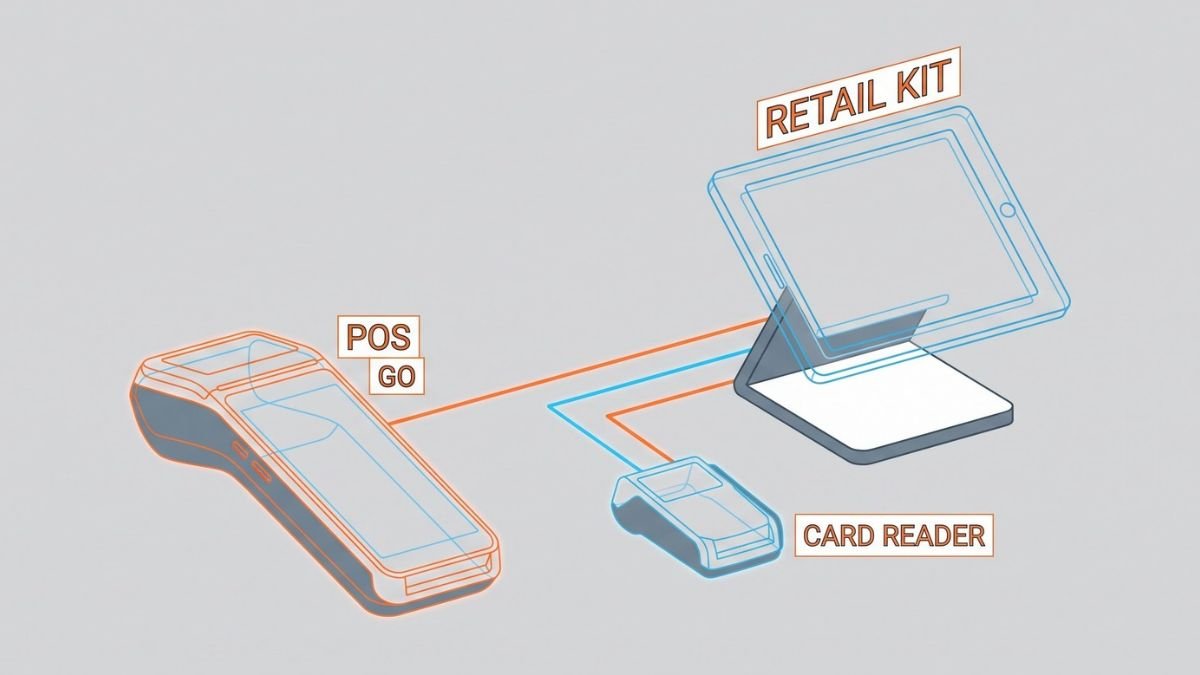
Card Readers, Terminals, and Barcode Scanners Pricing
Shopify offers a range of hardware options to support its POS system.While you can build a custom setup with third-party cash drawers and receipt printers, Shopify’s official proprietary hardware pricing breaks down like this:
-
Card Readers: ~$49 for the basic Tap & Chip reader.
-
Shopify POS Go: ~$399 for the all-in-one mobile handheld terminal (built-in scanner and card reader).
-
Countertop Kits: ~$800 to $1,000+ for a full retail register setup (iPad stand, card reader, receipt printer, and cash drawer).
-
Barcode scanners
-
Receipt printers
-
Cash drawers
> For the most accurate and up-to-date pricing, visit the official Shopify Hardware Store directly.
One-Time vs. Ongoing Hardware Expenses
When evaluating how much a Shopify POS system costs, it’s important to distinguish between:
| Expense Type | Examples |
|---|---|
| One-Time | Card readers, terminals, barcode scanners |
| Ongoing | Software subscriptions, payment processing fees |
Hardware is generally a one-time purchase, while software and transaction fees recur monthly or per sale.
Bundled Hardware Deals and Starter Kits
Shopify periodically offers starter kits that bundle essential hardware together, making it easier and more cost-effective to launch a retail setup. These bundles typically combine a card reader, dock, and sometimes a receipt printer.
With this in mind, next, we’ll compare Shopify POS Lite vs. Pro to help you choose the right setup.
Shopify POS Lite vs Pro: Which Setup Is Right for You?
A. Feature-by-Feature Breakdown of Both Plans
| Feature | POS Lite | POS Pro |
|---|---|---|
| Basic checkout | ✅ | ✅ |
| Omnichannel selling | ✅ | ✅ |
| Staff roles & permissions | Limited | Advanced |
| In-store analytics | Basic | Full reporting |
| Buy online, pick up in-store | ✅ | ✅ |
| Inventory management | Basic | Multi-location |
| Unlimited registers | ❌ | ✅ |
B. Best Fit Scenarios for Retail Store Owners
Now that we have covered the feature breakdown, permanent brick-and-mortar retailers benefit most from Shopify POS Pro. If you operate a full retail store with multiple staff members, need advanced inventory tracking, or run several registers simultaneously, Pro justifies its higher monthly cost. Businesses asking how much is the Shopify POS system long-term will find Pro’s unlimited registers and detailed reporting deliver strong ROI.
C. Best Fit Scenarios for Pop-Up and Omnichannel Sellers
With this in mind, merchants running pop-up shops, markets, or primarily online stores with occasional in-person sales are well-served by Shopify POS Lite. Since Lite is included with every Shopify plan, it keeps costs low while supporting omnichannel selling. For sellers exploring pos systems compatible with Shopify on a budget, Lite offers a capable, low-commitment entry point.
Shopify POS vs. Competitors: Square, Helcim, and Stripe Pricing
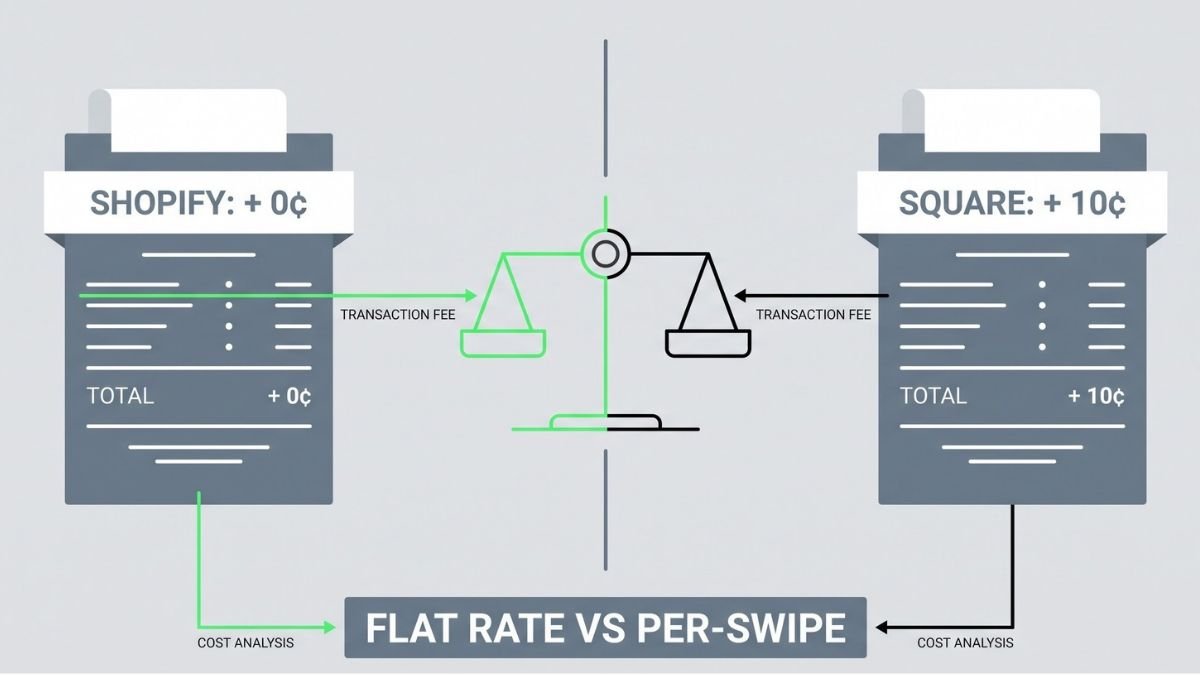
Shopify POS vs. Square POS: The 10¢ Difference
Square’s free POS plan is genuinely free with no monthly software fee, but they charge 2.6% + 10¢ per tap/swipe. Shopify charges 2.7% (on the Basic plan) but adds + 0¢ per swipe. If you sell high volumes of low-ticket items (like $5 coffees or $10 accessories), Square’s 10¢ flat fee will eat your margins alive, making Shopify’s zero-cent fee much cheaper at scale. However, Square wins for pure brick-and-mortar startups that do not need an online ecommerce store.
Shopify POS vs. Stripe Terminal: Best for Custom Builds
Stripe Terminal has no monthly fee and charges 2.7% + 5¢ per in-person transaction. It’s a developer-first solution great for custom retail apps, but it lacks the ready-made POS interface Shopify offers out of the box.
Shopify POS vs. Helcim: When Interchange-Plus Makes Sense
Helcim uses interchange-plus pricing with no monthly fees, making it cheaper for high-volume merchants processing $50K+/month. Shopify’s flat-rate model is easier to predict but costs more at scale.
Monthly Fees Comparison: Who Offers the Best Free Tier?
| Platform | Free Tier | In-Person Rate |
|---|---|---|
| Square | Yes | 2.6% + 10¢ |
| Stripe Terminal | Yes | 2.7% + 5¢ |
| Helcim | Yes | Interchange+ |
| Shopify POS Lite | With Shopify plan | From 2.4% |
Shopify’s rates are competitive but only if you’re already running an online store.
CONCLUSION
Choosing the right Shopify POS plan comes down to understanding your business needs and how much you’re willing to spend. Whether you go with the free Lite plan for basic in-person selling or invest in the Pro plan for advanced retail features, your decision should factor in transaction fees, hardware costs, and how your setup compares to competitors like Square, Helcim, and Stripe.
Take the time to evaluate your sales volume, the number of locations you operate, and the features that matter most to your day-to-day operations. If you’re just starting out or selling occasionally in person, Shopify POS Lite is a low-risk way to get started. But if you’re running a full retail store and need more control, the Pro plan may pay for itself quickly. Compare your options carefully and choose the plan that keeps your costs manageable while supporting your growth.
Frequently Asked Questions About Shopify POS Pricing
Is Shopify POS actually free?
Shopify POS Lite is included at no additional cost, but it requires an active Shopify subscription (starting at $39/month for the Basic plan). There is no standalone “free” version of Shopify POS if you do not have a Shopify ecommerce plan.
What is the main difference between Shopify POS Lite and Pro?
POS Lite covers basic in-person selling and is best for pop-up shops and occasional market sellers. POS Pro costs an additional $89 per month per location and unlocks advanced brick-and-mortar features like unlimited staff PINs with role-based permissions, advanced multi-location inventory tracking, and “buy online, pick up in-store” (BOPIS) workflows.
Does Shopify charge penalty fees if I use a third-party card reader in-person?
No. While Shopify charges a 0.5% to 2% penalty fee if you use an external payment processor for online sales, they completely waive this third-party transaction fee for in-person POS sales. However, using official Shopify Payments hardware is highly recommended to keep your payout reporting synced in one dashboard.
Is Shopify POS cheaper than Square?
It depends on your average order value and whether you need an online store. Square has no monthly fee, but charges 2.6% + 10¢ per tap. Shopify charges a monthly fee, but their in-person rate drops the flat cent fee entirely (e.g., 2.7% + 0¢). If you sell high volumes of low-ticket items (like coffee or cheap accessories), Shopify’s 0¢ flat fee will save you a massive amount of money at scale.
What hardware do I actually need to buy for Shopify POS?
At a minimum, you only need a smartphone or tablet running the POS app and a basic Tap & Chip card reader (around $49). If you are setting up a permanent retail counter, you can expect to spend between $800 and $1,000+ for a complete bundle (iPad stand, card reader, receipt printer, and cash drawer).
Can I upgrade to Shopify POS Pro for just one of my locations?
Yes. Shopify POS Pro is billed on a “per location” basis. If you have three locations but only one of them is a permanent, high-volume retail storefront, you can pay the $89/month for that specific location while keeping the other two locations on the free POS Lite plan.
Can I use Shopify POS without an online store?
Technically, yes, but it doesn’t make financial sense. Because you must pay for a base Shopify plan (like the $39/month Basic plan) to access the POS software, you are paying for an online store anyway. If you strictly want to sell in-person with absolutely zero ecommerce presence, a no-monthly-fee system like Square is a better fit.