
You’re getting traffic. People are landing on your store, browsing your products, even adding items to their cart and then leaving. That’s not a traffic problem. That’s a conversion problem, and it’s costing you real money every single day.
This guide is for Shopify store owners, ecommerce managers, and DTC brands who are tired of watching potential customers slip through the cracks. If your store is live and generating visits but your sales aren’t keeping up, you’re dealing with a leaky funnel and the fix isn’t more ad spend.
Here’s what you’ll walk away knowing:
-
Where your funnel is actually breaking — using Shopify Analytics and GA4 event tracking to spot the exact pages and moments where shoppers drop off
-
How your store design is either building or killing trust — from mobile UX to product page layout, small changes can make a big difference in whether someone buys or bounces
-
What’s happening at checkout — and the specific friction points that push people to abandon their cart right before they convert
Shopify conversion rate optimization isn’t about guessing. It’s about looking at the right data, fixing the right problems, and making your store easier to buy from. Let’s get into it.
Understanding Conversion Rate Optimization for Shopify Stores
What a Leaky Funnel Costs Your Business
Every visitor who lands on your Shopify store and leaves without buying is money walking out the door. If your store converts at 2% and you’re pulling in 10,000 monthly visitors, you’re turning away 9,800 potential customers every single month. Even a 1% improvement in conversion rate can mean tens of thousands of dollars in recovered revenue without spending another dollar on ads.
A leaky funnel doesn’t just hurt your top-line revenue. It quietly destroys your return on ad spend (ROAS), inflates your customer acquisition cost (CAC), and makes scaling feel impossible. You pour budget into traffic, but the bucket never fills.
Key Metrics to Track Before Optimizing
Before you touch a single button or rewrite a headline, you need a clear picture of where your numbers actually stand.
| Metric | What It Tells You | Benchmark |
|---|---|---|
| Overall Conversion Rate | % of sessions that result in a purchase | 1.5%–3.5% for most Shopify stores |
| Add-to-Cart Rate | How compelling your product pages are | 5%–10% |
| Cart Abandonment Rate | Where purchase intent dies | Industry avg ~70% |
| Checkout Abandonment Rate | Friction in the buying process | ~55%–65% |
| Bounce Rate by Landing Page | Which entry points are failing | Varies by traffic source |
| Average Order Value (AOV) | Revenue efficiency per transaction | Depends on your niche |
Track these inside Shopify Analytics, Google Analytics 4, and any heatmap tool you’re running. Don’t guess these numbers are your baseline.
How to Identify Where Shoppers Are Dropping Off
Your funnel has a specific shape, and the leak is almost always hiding in one of three places: product discovery, product pages, or checkout.
Here’s how to find it fast:
-
Use GA4 funnel exploration reports to map the path from landing page → product page → cart → checkout → purchase. The biggest drop-off point is where you start.
-
Check session recordings (Hotjar, Microsoft Clarity) to watch real shoppers get frustrated, confused, or distracted.
-
Segment by device type — mobile vs. desktop conversion rates often tell completely different stories.
-
Look at exit pages — if shoppers consistently bounce from your shipping info page, that’s not a coincidence.
Pattern recognition across these data sources tells you exactly which section of this guide to prioritize first.
Optimize Your Shopify Store Design for Maximum Trust
A. Use a Clean, Distraction-Free Layout
Your store’s design is your first handshake with a visitor. A cluttered layout with competing banners, pop-ups, and navigation links sends people running. Stick to a clear visual hierarchy one primary call-to-action per page, plenty of white space, and a logical flow that guides shoppers toward the “Add to Cart” button without detours.
-
Remove unnecessary homepage sections that don’t drive conversions
-
Limit your navigation to 5–7 top-level categories
-
Keep your color palette tight — 2–3 brand colors max
-
Use font sizes that create clear heading-to-body contrast
B. Make Your Store Mobile-Friendly to Capture More Sales
Over 70% of Shopify traffic comes from mobile devices. If your store isn’t built for thumbs, you’re leaking sales every single day. Go through your store on your actual phone not a browser emulator and look for these common problems:
-
Buttons too small to tap comfortably
-
Text that requires pinching and zooming
-
Images that overflow or crop awkwardly
-
Product descriptions that require excessive scrolling before the CTA appears
Shopify’s native themes are responsive, but responsiveness alone isn’t enough. You need to actively test and tweak. Move your “Add to Cart” button above the fold on mobile product pages and make sure your sticky cart bar stays visible as shoppers scroll.
C. Improve Page Load Speed to Reduce Bounce Rates
Every extra second your store takes to load costs you conversions. Google’s data shows a 32% increase in bounce rate when load time goes from 1 to 3 seconds. Run your store through Google PageSpeed Insights and GTmetrix to spot your biggest offenders.
| Speed Killer | Quick Fix |
|---|---|
| Uncompressed images | Use WebP format, compress with TinyIMG |
| Too many apps | Audit and delete unused Shopify apps |
| Render-blocking scripts | Lazy load non-critical JavaScript |
| Large theme files | Switch to a lightweight theme like Dawn |
D. Display Trust Badges and Security Seals Prominently
Shoppers need reassurance before they hand over their credit card details. Place trust signals where anxiety peaks on your product pages near the price and at checkout.
Your trust badge stack should include:
-
SSL secure checkout seal
-
Money-back guarantee badge
-
Accepted payment icons (Visa, Mastercard, PayPal, Shop Pay)
-
Third-party review platform badges (Trustpilot, Google Reviews)
Don’t bury these at the bottom of the page. Put them where eyes naturally land.
Diagnosing the Leak: Shopify Analytics and GA4 Event Tracking
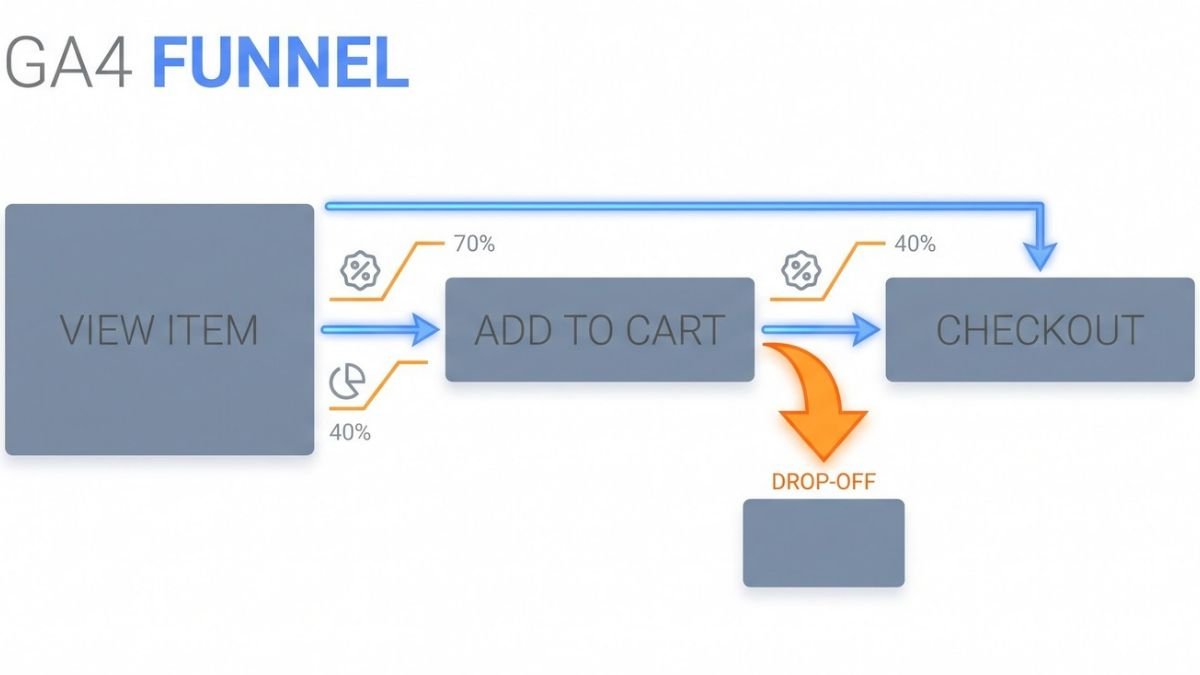
1. Identifying the Drop-Off Between View_Item and Add_to_Cart
Your funnel is leaking somewhere between the moment shoppers land on a product page and the moment they hit “Add to Cart.” GA4’s event tracking makes this gap visible.
Start by pulling a Funnel Exploration report in GA4 with these steps:
-
Set
view_itemas Step 1 -
Set
add_to_cartas Step 2 -
Segment by device category and traffic source
A drop-off above 85% signals a product page problem weak imagery, unclear value props, or pricing friction. Anything below 70% add-to-cart rate on mobile specifically? Your mobile UX needs immediate attention. Cross-reference these numbers inside Shopify Analytics under “Online store conversion rate” to validate the data.
2. Tracking Micro-Conversions (Variant Clicks, Size Guide Interactions)
Standard GA4 setup misses the small behaviors that predict whether someone buys. You need custom events firing on the interactions that matter most.
Push these micro-conversion events using your GTM dataLayer or Shopify’s Web Pixels API:
| Micro-Conversion | Why It Matters |
|---|---|
| Variant color/size click | Shows purchase intent; low rate = poor variant UX |
| Size guide modal open | High rate + low add-to-cart = sizing anxiety killing sales |
| Image gallery swipe | Measures product confidence |
| Reviews section scroll | Indicates trust-seeking behavior |
In GA4, build an Audience around users who triggered size_guide_open but didn’t convert. Target them with retargeting ads that specifically address sizing confidence free returns messaging works well here.
3. Using Microsoft Clarity to Spot Rage-Clicks and Broken Liquid Elements
GA4 tells you where users drop off. Microsoft Clarity shows you why and it’s free.
Connect Clarity to your Shopify store by adding the tracking snippet through your theme’s theme.liquid file or via GTM. Once data starts rolling in, focus on three reports:
-
Rage clicks — Users furiously clicking elements that aren’t clickable. Common culprits are static product badges your theme renders as buttons, or Liquid conditionals that hide the real CTA on certain collection views.
-
Dead clicks — Tapping areas with zero response, especially on mobile product pages.
-
Session recordings filtered by “Quick backs” — These are shoppers who landed and left within seconds, revealing above-the-fold failures instantly.
Pair Clarity’s heatmaps with your GA4 drop-off data to build a prioritized fix list rather than guessing what to test.
Front-End UX Architecture (Mobile-First Optimization)
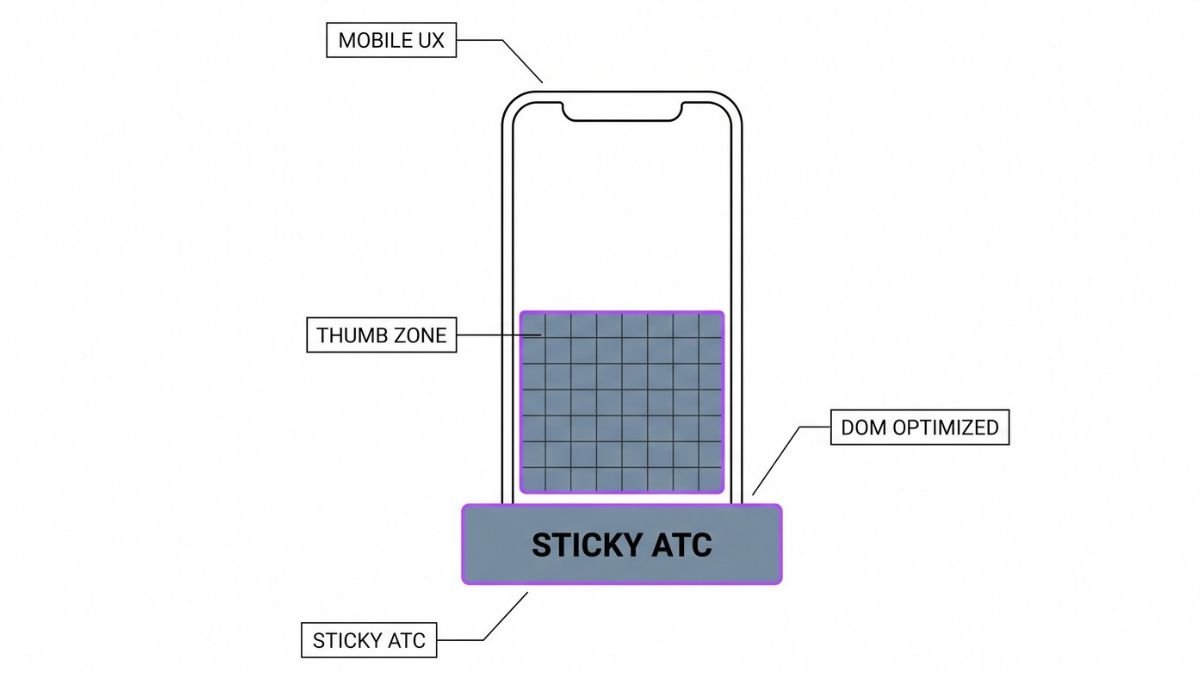
4. Engineering Thumb-Zone Navigation and Sticky ATC Buttons
Your mobile visitors are scrolling with one thumb. If your navigation or “Add to Cart” button sits outside the natural thumb reach zone (the lower-center of the screen), you’re silently bleeding conversions.
-
Sticky ATC buttons should remain fixed at the bottom of the viewport as users scroll product pages. This single change typically lifts mobile add-to-cart rates by 8–15%.
-
Place your primary navigation links within the lower 60% of the screen on mobile layouts.
-
Test thumb-zone placement using heatmap tools like Hotjar or Microsoft Clarity before and after changes.
5. Replacing Nested Dropdowns with Visual Variant Swatches
Dropdown menus for color or size selection add unnecessary clicks and cognitive load. When a shopper has to open a dropdown just to see “Navy Blue,” you’ve already created friction that kills momentum.
Swap them out for visual swatches:
| Element | Friction Level | Recommended Alternative |
|---|---|---|
| Nested dropdowns | High | Color/image swatches |
| Text-only size list | Medium | Clickable size tiles |
| Hidden variant options | Very High | Inline expandable grid |
Shopify’s native theme editor supports swatch metafields, and apps like Globo Product Options or Easify let you build this without custom code. Showing options visually reduces decision time and keeps your shopper’s eyes on the product, not the UI.
6. Optimizing the DOM: Why Shopify Speed Scores Dictate Conversion Rates
Google’s data shows a 1-second delay in page load can drop conversions by up to 7%. Your Shopify speed score isn’t just an SEO metric it’s directly tied to revenue.
A bloated DOM (too many elements, third-party scripts, or unoptimized theme sections) slows your Time to Interactive (TTI). Run your store through PageSpeed Insights and target:
-
LCP (Largest Contentful Paint): under 2.5 seconds
-
TBT (Total Blocking Time): under 200ms
-
CLS (Cumulative Layout Shift): below 0.1
7. Implementing Lazy Loading and Deferring Off-Screen JavaScript
You don’t need every script firing on page load. Lazy loading images below the fold and deferring non-critical JavaScript keeps your initial load lean and fast.
-
Add
loading="lazy"to all product and collection images not visible above the fold. -
Defer analytics pixels, chat widgets, and review app scripts using the
deferorasyncattribute. -
Use Shopify’s Web Performance dashboard to identify which scripts are eating your load budget.
Algorithmic Merchandising & Cart Dynamics
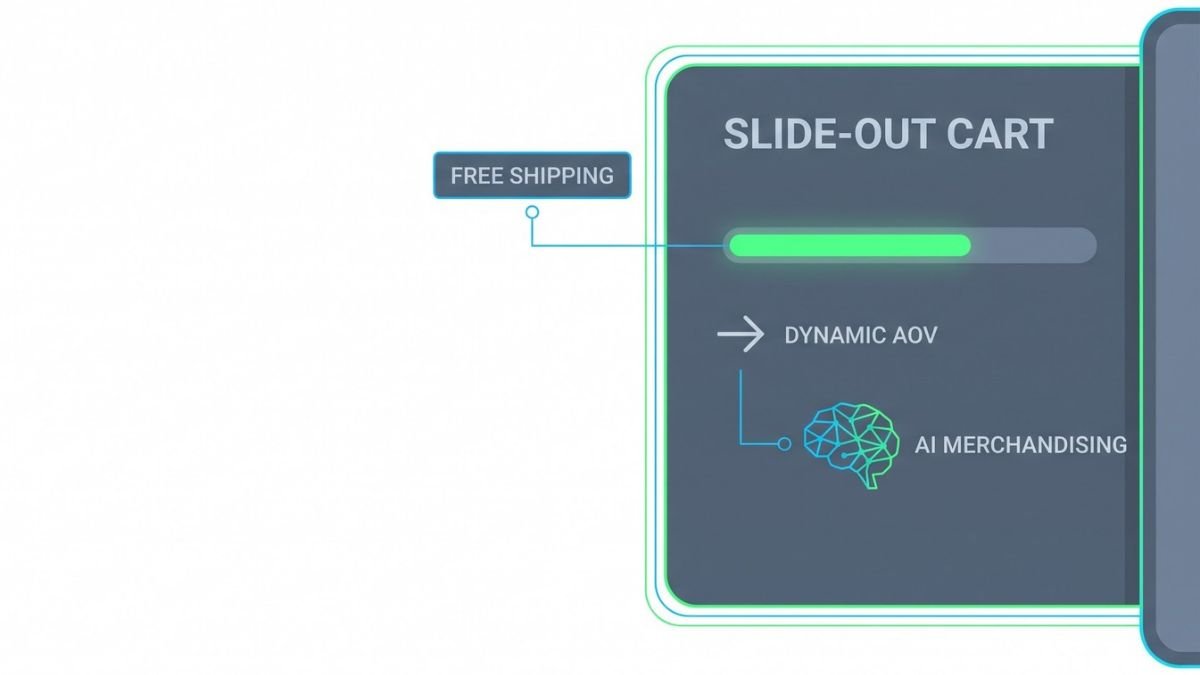
8. Replacing Static Cross-Sells with AI-Driven Rebuy Recommendations
Static “Customers also bought” blocks pull from fixed product relationships that go stale fast. Rebuy uses real-time purchase data, browsing behavior, and order history to serve recommendations that actually match what your shopper is thinking. You can configure smart widgets at the cart level, post-purchase, and on PDPs each pulling from a different recommendation algorithm. Start by A/B testing Rebuy’s “personalized” widget against your current cross-sell block and watch click-through rates tell the story.
9. Implementing Dynamic Free Shipping Thresholds Inside a Slide-Out Cart
A static banner saying “Free shipping on orders over $75” does almost nothing. A slide-out cart that says “You’re $12 away from free shipping” with a live progress bar? That moves people. Apps like Rebuy and Cartix let you build this natively. Set your threshold 15–20% above your current AOV so you’re pulling customers up, not just rewarding what they already planned to spend. Pair it with a curated product recommendation row inside the cart drawer something low-cost and relevant and you’ve created a self-contained upsell engine.
10. Structuring Tiered Bundles to Increase AOV Without Sacrificing Margin
Bundles work when they feel like a deal, not a dump of slow-moving SKUs. Structure your tiers around a clear value ladder:
| Tier | What’s Included | Discount | Goal |
|---|---|---|---|
| Starter | Core product only | 0% | Entry point |
| Popular | Core + complement | 10% | Sweet spot |
| Premium | Full kit | 15% | AOV maximizer |
Your “Popular” bundle should do the heavy lifting. Price the discount so your margin holds use your COGS to model this before you publish. Shopify’s native bundling works for simple setups, but if you want inventory syncing across bundle components, Bundler or Bold Bundles handles that cleanly.
11. Using Shopify Markets to Display Local Currency and Pricing Automatically
If a shopper in Germany sees prices in USD, you’re losing them before they even read the product description. Shopify Markets detects visitor location and automatically displays localized currency, with optional rounding rules so €49.73 becomes a cleaner €49.99. You can also set market-specific pricing if your margins differ by region. Activate this under Settings → Markets, assign currencies per region, and enable geolocation-based redirects. Your international conversion rate will improve almost immediately after launch.
Removing Friction: Checkout Extensibility & Abandonment
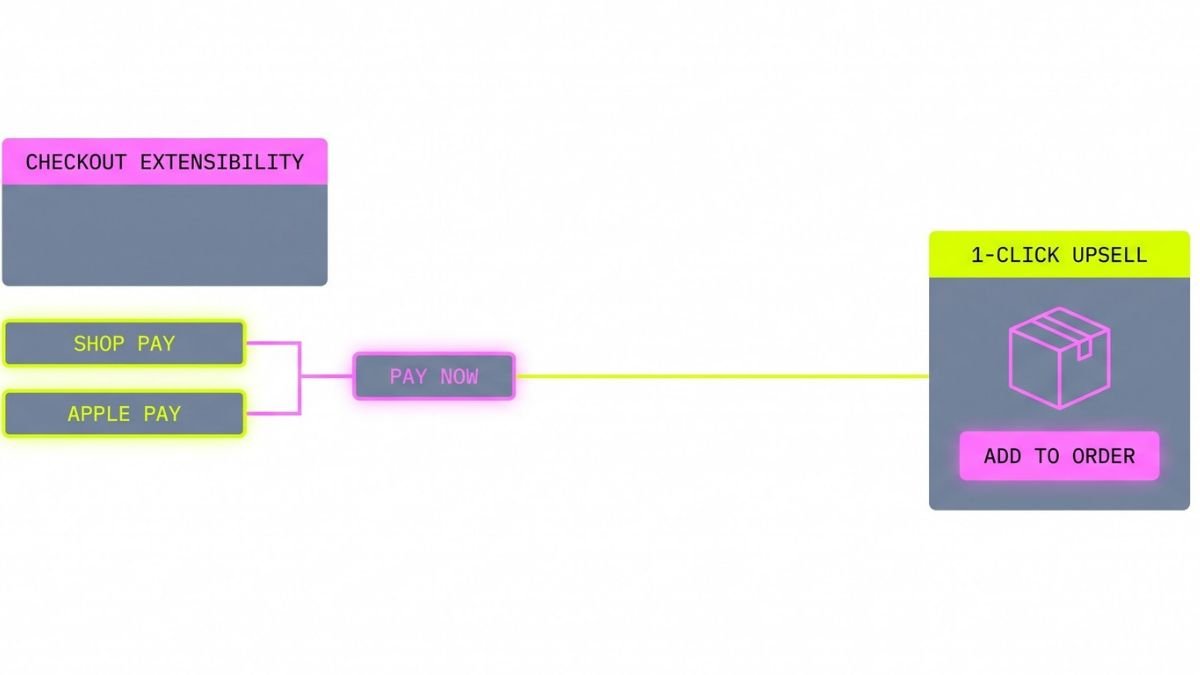
12. Upgrading to Shopify Checkout Extensibility for a Seamless One-Page Flow
If you’re still running Shopify’s legacy checkout, you’re leaving real money on the table. Checkout Extensibility lets you customize your checkout without touching the core code meaning faster load times, fewer errors, and a smoother experience for your shoppers.
Key moves to make right now:
-
Add trust badges and security seals directly in the checkout UI blocks
-
Surface a progress indicator so buyers know exactly where they are
-
Inject a last-minute upsell or free shipping threshold reminder using Checkout UI Extensions
A cleaner, single-page checkout flow cuts the cognitive load that kills conversions right before the finish line.
13. The Conversion Power of Accelerated Digital Wallets (Shop Pay & Apple Pay)
Your checkout form is a friction machine. Every field a shopper has to fill out is a chance for them to bail. Accelerated wallets like Shop Pay and Apple Pay compress the entire payment step into a single tap.
| Wallet | Avg. Conversion Lift | Best Use Case |
|---|---|---|
| Shop Pay | Up to 50% higher vs. guest | Returning Shopify shoppers |
| Apple Pay | Strong on iOS Safari | Mobile-first audiences |
| Google Pay | Broad Android reach | High mobile traffic stores |
Enable all three inside your Shopify Payments settings. Put the wallet buttons above the fold on your product and cart pages not buried below the form.
14. Triggering Behavior-Based Cart Recovery Sequences via Klaviyo
Not every abandoned cart is a lost sale. A smart Klaviyo flow separates window shoppers from serious buyers and talks to each group differently.
Build your sequence like this:
-
Email 1 (30 min after abandonment): Simple reminder, no discount — you don’t want to train customers to wait for deals
-
Email 2 (24 hours): Social proof — reviews of the exact product left behind
-
Email 3 (48 hours): A time-sensitive incentive for high-intent segments only
Layer in SMS for your opted-in list to hit open rates that email alone can’t touch.
15. Structuring High-Converting, One-Click Post-Purchase Upsells with ReConvert
Your thank-you page is one of the highest-intent moments in your customer’s entire journey and most stores waste it with a basic order confirmation.
ReConvert lets you drop targeted one-click upsells directly on that page. Set your trigger logic based on what was just purchased, and offer a complementary product at a small discount. Since the customer’s payment info is already saved, there’s zero re-entry friction just one click to add to their order.
Conclusion
A leaky funnel doesn’t have to be a permanent problem. By tightening up your store design, building trust signals into every page, and using your analytics data to spot exactly where shoppers are dropping off, you can start plugging those gaps one by one. Pair that with a mobile-first experience, smarter product merchandising, and a checkout flow that removes every possible point of friction, and you’ve got the foundation of a store that actually converts.
Start small if you need to. Pick one area from this guide, whether that’s your checkout process, your cart experience, or how your homepage looks on a phone, and test it. Track the results, then move to the next. Shopify gives you powerful tools to make these improvements without needing to rebuild everything from scratch. The stores that win aren’t the ones with the flashiest designs; they’re the ones that make it genuinely easy for people to buy. Now it’s your turn to make that happen.
Frequently Asked Questions on Shopify Conversion Rate Optimization
1. What is a good conversion rate for a Shopify store?
A healthy benchmark for most Shopify e-commerce stores sits between 1.5% and 3.5%. If your store is converting below 1%, you are likely dealing with severe technical friction, such as DOM bloat causing slow load times, or a confusing mobile layout lacking thumb-zone optimization.
2. How do I fix a low Add-to-Cart (ATC) rate?
If users view items but don’t add them to the cart, the friction is on your product page (PDP). To fix this, replace clunky, nested dropdown menus with visual variant swatches. Additionally, implement a “sticky” Add-to-Cart button on mobile devices so the checkout call-to-action remains visible as the user scrolls.
3. Why do customers abandon carts at checkout on Shopify?
The highest point of friction is unexpected costs (shipping, taxes) revealed at the last second, followed closely by forced account creation. Upgrading to Shopify Checkout Extensibility allows for a seamless, one-page flow where you can inject trust badges and accelerate payments using digital wallets like Shop Pay and Apple Pay.
4. How can I track where my Shopify sales are leaking?
Don’t rely purely on Shopify’s native dashboard. Build a Funnel Exploration report inside Google Analytics 4 (GA4) mapping the exact sequence: view_item → add_to_cart → begin_checkout → purchase. Pair this data with free session recordings from Microsoft Clarity to spot “rage-clicks” and broken Liquid elements.
5. How do I increase Average Order Value (AOV) on my Shopify store?
Static cross-sells are dead. The most effective technical way to boost AOV is through algorithmic merchandising. Use tools like Rebuy to inject AI-driven product recommendations in your slide-out cart, and use ReConvert to trigger one-click upsell offers on your post-purchase thank-you page.
6. Does Shopify speed actually affect conversion rates?
Yes. Google data shows that a 1-second delay in mobile page load can drop conversions by up to 7%. Your Shopify speed score is directly tied to revenue. You must optimize your DOM by deferring off-screen JavaScript and lazy-loading images that sit below the fold.
7. How do I recover abandoned carts effectively?
Roughly 70% of carts are abandoned. Relying on default Shopify recovery emails isn’t enough. Use Klaviyo to trigger behavior-based sequences: send a non-discount reminder at 1 hour, leverage product-specific social proof reviews at 24 hours, and offer a time-sensitive incentive at 48 hours for high-intent shoppers.


Pingback: The Ultimate Shopify SEO Checklist: 11 Steps to Rank Your Store Higher
Pingback: The Perfect Shopify Abandoned Cart Email: Templates, Timing & Best Practices
Pingback: Shopify Website Speed Optimization: The Developer’s Guide to Sub-3-Second Loads
Pingback: What is a Good Shopify Speed Score? And How to Actually Improve It
Pingback: The Ultimate Shopify Post-Purchase Email Flow: How to Turn 1-Time Buyers into Repeat Customers
Pingback: Is Shopify Worth It? A Developer’s Honest Pros, Cons & Hidden Costs
Pingback: How to Dropship on Shopify for Free Using DSers ( Step-by-Step Guide)
Pingback: How Does Shopify Shipping Work? (Rates, Labels & Fulfillment Explained)
Pingback: Zendrop Review 2026: Is It Actually Better Than DSers & AliExpress?
Pingback: How to Set Up Shipping Rates on Shopify ? (The Complete Guide)
Pingback: Cross-Border Ecommerce Shipping: The Merchant’s Guide to International Shipping & Duties
Pingback: How to Start a Print on Demand Business: A Beginner's Guide to True Profitability
Pingback: Best 3PL for Shopify: The Merchant’s Guide to Third-Party Logistics & Integration
Pingback: Shopify Inventory Reports: How to Track, Export & Audit Stock
Pingback: Why General Dropshipping Stores Fail?(And What Actually Works)
Pingback: How Healthy Is Your Ecommerce Returning Customer Rate? Benchmarks, Formulas & Proven Fixes
Pingback: The 10 Must-Have Shopify Apps to Scale Your Store: The Lean Tech Stack Audit
Pingback: ReConvert Review 2026: The Ultimate Shopify Post-Purchase Upsell App? - CommerceCure
Pingback: How Much Does Klaviyo Cost? (Shopify Pricing Breakdown) - CommerceCure